ComfyUI-Dials: 14 KB Motion and Mood Sliders for H3

Introduction
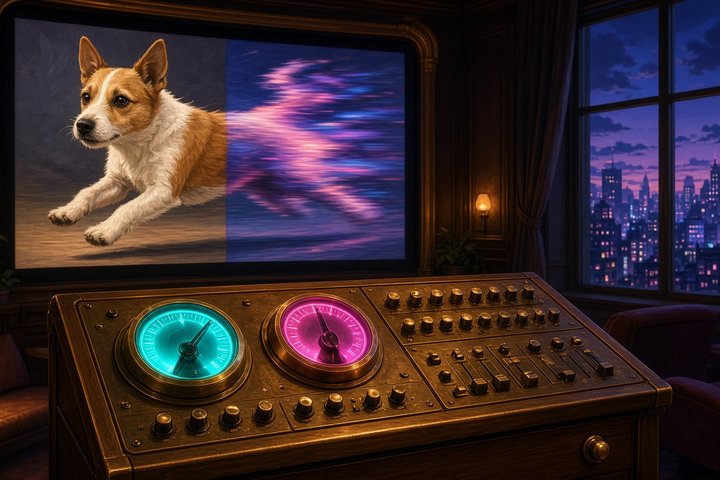
What if you could turn motion up or down on a video model the way you turn up the volume? ComfyUI-Dials is a new open-source ComfyUI node pack from developer MatlowAI that does this for MiniMax H3 text-to-video. It went up on GitHub at 01:24 UTC on October 30. You write two prompts that differ in a single quality, for example stands perfectly still and runs across the scene. The node turns the difference into a ~14 KB dial file. Set the strength negative to push every generation toward the first prompt, or positive to push it toward the second.
There's no training, no reference images and no test renders. The README says a dial takes about a minute to build, since it's one text-encoder pass per prompt. It runs locally in ComfyUI on the Comfy-Org H3 repack, and the dials also work on Pika H3 Flex, the 6-step open-weights speed-up we covered yesterday.
What shipped
- Tool: ComfyUI-Dials (5 nodes) plus a dial library on Hugging Face at MATLOWAI/H3-Dials
- Builder: MatlowAI (community)
- Modality: text-to-video steering for MiniMax H3 and Pika H3 Flex, with audio
- Open vs API: open. The node code is AGPL-3.0 and the dial files fall under the MiniMax H3 Community License
- Where to run it today: your own ComfyUI with MiniMax H3 loaded
- Concrete fact: in seed-matched tests on six prompts, the motion dial at +2 gave 2.7× the base pixel motion, and at −2 it gave 0.05×, which is close to a frozen cinemagraph. A typical video LoRA is 80 to 160 MB. A dial is about 14 KB.
How a dial works
H3 runs your prompt through a text projection and a two-block token refiner before the diffusion transformer sees it. Make Dial encodes each prompt pair, takes B minus A, and averages that difference across all pairs. Because the subjects and wording vary from pair to pair, those details cancel out, and what's left is the one shared change, such as "more motion".
You can apply the result in two ways:
- Hook (default): the vector is added after the token refiner, exactly where the DiT reads the prompt. This is the cleanest option. Apply Dial patches it in, and it stacks with LoRAs.
- LoRA file: the vector is written into
condition_proj's bias as a standard LoRA key, so the stock Load LoRA (model only) node can apply it. It's gentler per unit, so use about 1.6× the strength.
There's also a reason this matters for H3 in particular. H3 is guidance-distilled and has no CFG, so negative prompts do nothing. Dials give you back the kind of push-away control that negative prompts used to provide.
The released dials
- Motion: Freeze to Zoomies (
h3_motion): built from 24 pairs, with a pair agreement of 0.78. The useful range is −2 to +2. - Villainy pack (eight hook dials): sinister, creepy, cold, unhinged, seductive, corrupted, dread and impish. +1 to +2 is the sweet spot. At +4, sinister goes almost pitch black.
- Audio watch-out: the author's tests show
sinistercan crush dialogue, with a Whisper word error rate of 0.84 at +2 compared with 0.00 at base.seductivekept speech clean. The author also warns thatunhingedreally is unhinged, so use it knowingly.
Install and load
cd ComfyUI/custom_nodes
git clone https://github.com/matlowai/ComfyUI-Dials
mkdir -p ../models/loras/dials
cp ComfyUI-Dials/dials/*.safetensors ../models/loras/dials/
There are no extra dependencies. The last two lines copy the released dials into models/loras/dials/, where Load Dial looks for them. Starter graphs in workflows/:
dials_studio_h3.json: H3 text-to-video with audio, with the motion slider plus an evil-dial slotdial_maker_h3.json: build and preview your own dialdials_pika_h3_flex.jsonanddials_pika_h3_flex_derope.json: the motion dial on Pika's 6-step LoRA, with an optional de-rope pass that re-renders stretches that move too fast for the frame rate (it needs ComfyUI-MAINodes)
Make your own dial
Make Dial takes one pair per line, separated by |||, with an optional {subject} template that's filled from 4 to 8 varied subjects. Here's a paste-ready pair set for a "golden hour" dial in the same format as the repo's own example pairs:
{subject} under flat, overcast midday light. ||| {subject} bathed in warm golden-hour sunlight, long soft shadows.
{subject} in a plain, evenly lit room. ||| {subject} lit by low amber sun through a window, glowing rim light.
{subject} on a grey, shadowless afternoon. ||| {subject} at sunset, honey-gold light and gentle lens flare.
The author's tips: keep A and B identical except for the one quality you want, and describe the effect literally. A pair that says "runs past the camera" teaches subjects to leave the frame. The node report gives a pair agreement score, and anything above 0.6 is a clean direction.
On Pika H3 Flex
The dials work unchanged on the Pika LoRA. On Pika, +0.5 to +1.0 is the useful motion range. At +1.5 the scene starts to restage, and at +3 it loses the prompt. The author's timings on one RTX PRO 6000 Max-Q at 1280×704 and 141 frames are about 1.5 minutes for 6 Pika steps, about 5.5 to 6 minutes with de-rope, and about 5.5 minutes for a plain 25-step H3 render.
Limits to know
- A dial can't teach H3 anything new, such as a person or a style it doesn't already know. Use a LoRA for what and dials for how. The two stack.
- The author has tested it on only a handful of scenes, so treat these as creative tools, not guarantees.
- The dial files are H3 model derivatives, so the MiniMax H3 license's territory and acceptable-use limits apply.
Original Source
Code, workflows and README: github.com/matlowai/ComfyUI-Dials · demo page: matlowai.github.io/ComfyUI-Dials · dial library: MATLOWAI/H3-Dials
Want the base model without a local install? Try this on Gen → https://artrealmai.com/gen?utm_source=magazine&utm_campaign=gen&utm_content=comfyui-dials-minimax-h3-motion-mood-sliders
Turn the zoomies up, turn the dread down, and play. —Aurelia ♡