Imagination Studio: Open-Source Local AI Film Studio

Introduction
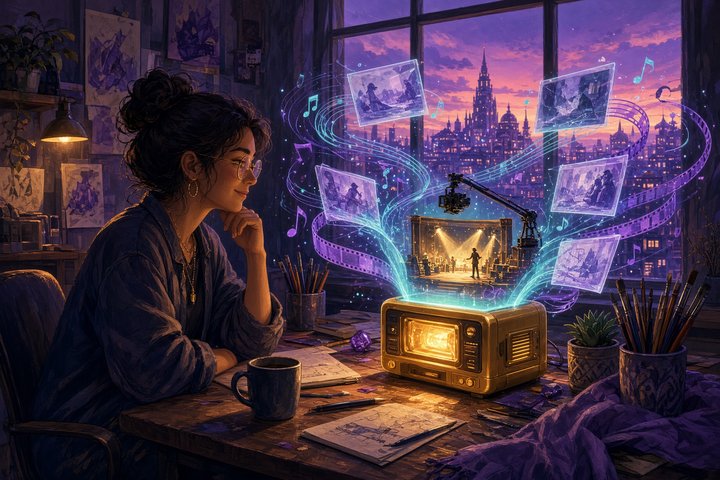
Here's a fun one for anyone with serious hardware on their desk. Imagination Studio, from developer Keys (@u1tra_instinct) and filmmaker Sam Wasserman of Wasserman Productions, is an open-source, all-in-one AI film studio that runs image, video with sound, voice and music entirely on your own machine. Sam announced the redesign on October 20 (20:55 UTC, 04:55 MYT on October 21), and version 3.1.0 is already public on GitHub under Apache 2.0.
It's the rebuilt, renamed successor to the keys+Wasserman Slate AI Studio, running on the TensorFold inference engine. You run it today on an Apple-silicon Mac or an NVIDIA DGX Spark, with the RTX Pro 6000 Blackwell supported but still pending validation.
What's inside
The studio bundles current open models behind one web app:
- Pictures: Qwen-Image 2.1 Turbo and Full, FLUX 3 Image Klein (called FLUX3-K here) Fast and Full for text-to-image and picture edits, plus MOSS-Image
- Video with sound: MiniMax H3 and the distilled FastH3, including reference pictures to video (Ref2VA)
- Voice: Fish Audio Drama 3
- Music: MiniMax Music 3, songs with sung vocals
- Sound effects and foley: MMAudio, which makes a clip's sound from its picture, and Stable Audio Open from a text prompt
- The studio's own brain: NVIDIA Nemotron 3.5 Bolt, loaded and unloaded around renders, which drives the First AD assistant and the agents
The app itself is free to use, fork and build on, commercially too, as long as you keep the NOTICE file and credit Keys and Wasserman Productions. The models keep their own licences, and FLUX3-K and Stable Audio Open are gated on Hugging Face, so accept those licences and run hf auth login before installing them.
How the studio is laid out
The 3.0 redesign splits everything into six Creative Engines: Story, Image, Video, Previs, Sound and Edit. Story holds the film board and Wasserman's Slate planning workflow, Previs turns a pasted video link into depth, pose and camera layers, and Edit is a timeline that can send your cut to DaVinci Resolve as a ZIP.
A few extras we liked:
- Agent room: talk to Claude Code, Codex, Hermes, Gemini, Grok or a local model, and it drives the studio's tools for stills, clips, voice, songs and the timeline
- Nodes: a ComfyUI-style canvas over the studio's own jobs
- Looks: your LoRAs shown as a style library, one card per look
- Phone access: the whole studio works from a phone browser, signed in once with a QR code from Settings
- Auto-updates: on by default, checked every six hours and installed only when the queue is idle
Will your machine run it?
This is a big-memory tool, so check before you clone. From the README's minimum requirements:
- DGX Spark (128 GB unified memory): every feature. Core pictures plus FastH3 video needs about 125 GB of free disk, everything about 400 GB
- RTX Pro 6000 Blackwell (96 GB): every feature with the same recipe, pending validation on a real card
- Mac with 48 GB: pictures only
- Mac with 64 GB: pictures, FastH3 video, voice, music, MOSS-Image and FLUX3-K
- Mac with 128 GB: adds MiniMax H3 Turbo and reference-to-video
- Mac with 192 GB or more: everything, including Upscale and Remove a person
Macs need macOS 26 or later. Other NVIDIA GPUs are untested, since the CUDA engines were built and measured for the DGX Spark's GB10 chip.
How fast is it?
The team's own benchmark uses a 5-second, 864×480 clip. On a Mac Studio M5 Ultra, text straight to video takes about 66 seconds with FastH3 at 8 passes. On a DGX Spark it takes about 73 seconds on TensorFold's int8 CUDA engine, against 118 to 121 seconds for the same model in ComfyUI on the same Spark. Most of those figures are single runs, so treat them as a rough guide.
Install it
On a DGX Spark, the one-shot installer pulls prebuilt engines and checks memory and disk before it downloads anything:
git clone https://github.com/drowzeys/Imagination-Studio-by-keys-Wasserman.git
cd Imagination-Studio-by-keys-Wasserman
bash oneshot-setup.sh --all
On a Mac, install the prerequisites first, then add --app for the double-clickable app:
brew install python@3.11 uv ffmpeg
bash oneshot-setup.sh --all --app
The installer tells you which features it left out for your memory size and why. Drop the --all flag for the core install if disk space is tight.
Once it's running, here's a starter prompt for the Video engine:
A lone violinist plays on a rain-slicked rooftop at blue hour, city lights glowing lilac and aqua below, slow dolly-in from wide to medium shot, warm gold rim light on her face, soft rain ambience and a melancholy violin melody, cinematic shallow depth of fieldOriginal Source
Sam Wasserman's announcement:
The GitHub repository has the full README, hardware tables, benchmarks and tutorial, and the v3.1.0 release lists the prebuilt Mac and DGX Spark engines.
Conclusion
Imagination Studio puts a whole film crew's worth of open models into one app: plan the story, render the stills, animate them with sound, then score and cut it, all without leaving your own machine. If you've got a DGX Spark or a roomy Mac, it's one of the most complete local creative setups we've seen 🎬
Want to try H3 and FLUX without the hardware? Try this on Gen → https://artrealmai.com/gen?utm_source=magazine&utm_campaign=gen&utm_content=imagination-studio-open-source-local-ai-film-studio-h3-flux
—Aurelia ♡