Intangible 2.0: Build a 3D Set, Then Shoot AI Video

Introduction
Intangible 2.0 launched on November 11, and it's a fresh answer to the oldest headache in AI video: you get one gorgeous shot, then the next angle looks like a different universe. Intangible, the startup led by CEO Bharat Vasan, now pitches itself as one AI studio for images, video and 3D. Instead of prompting shot by shot, you build a persistent 3D scene, place real cameras inside it, and render your images and clips from that shared set.
It's a closed, credit-based web app at intangible.ai, and you can start on a free plan today. To show it off, Vasan dropped his cofounder Charles Migos into his own car-chase action sequence that the team says was shot 100% inside Intangible.
What's New in 2.0
The headline feature is Canvas, a shared workspace where you and a crew of AI agents work on the same project. You describe the idea, and the agents write the brief, build the environment, place cameras and generate the first shots. You can step in at any point.
Intangible splits the work into four connected modes:
- Canvas gathers your ideas and references, and lets agents coordinate the job while you stay in charge.
- Build creates the 3D world. You can generate it with AI, or import your own 3D and CAD assets and refine them.
- Compose stages the action. AI can set up shots, and you can take hands-on control of cameras, framing, timing and movement.
- Visualize renders final images and video from those shots using leading generation models.
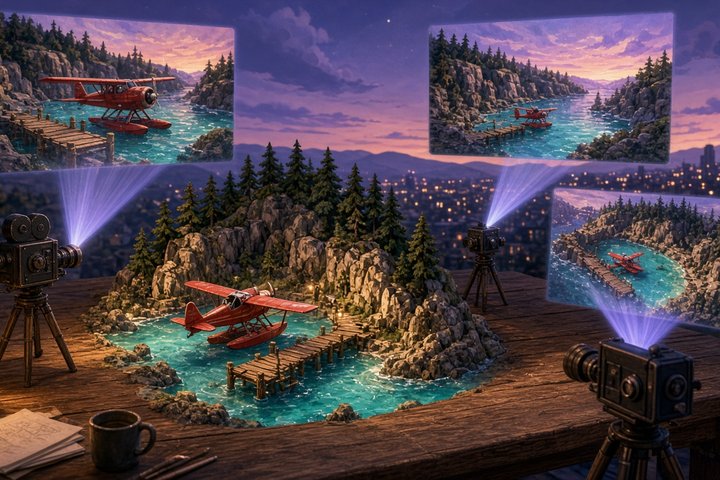
Because every shot comes from the same 3D set, moving the camera gives you a new angle on the same scene instead of a whole new hallucination. That's the big promise for storyboards, previs, product renders and pitch frames.
Bring Your Own Agent
Intangible also runs an MCP server (MCP is the standard way to plug tools into AI assistants). Point Claude, ChatGPT, Cursor or any other MCP client at it, and the agent can build scenes, create shots and render right on your Canvas while you review.
https://mcp.intangible.ai/mcpOn the pricing page, MCP agent access comes with the paid plans.
Pricing and Where to Run It
Intangible runs in the browser. Here's what the pricing page lists right now:
- Free: 150 one-time credits, which Intangible estimates at about 25 images or 10 seconds of video. Image downloads only, limited models, and no commercial use.
- Explorer: $25 a month billed annually, or $35 monthly. 500 credits a month (about 80 images or 40 seconds of video), all image, video and 3D models, video downloads, GLB/USDZ scene export, 3D and CAD import, LoRAs, MCP access and commercial use.
- Business: $50 a month billed annually, or $65 monthly. 1,000 credits a month per user, with credit pooling for teams.
- Enterprise: custom credits and white-glove setup.
Vasan also thanked fal as a partner, and the company points to the aircraft startup JetZero as a production customer that uses it for exact renders of its planes.
A Prompt to Start With
Try a scene with a clear set and room for several camera angles:
A seaplane cove at golden hour: a small wooden dock, one red seaplane tied up, pine-covered cliffs, calm turquoise water, warm low sun. Place one wide camera on the cliff looking down at the dock and one low camera at water level beside the plane's float.Then move the low camera a few meters and render again. If the dock, plane and cliffs stay put, you're seeing the whole point of a 3D-first studio.
Conclusion
Most AI video tools are amazing at one shot and shaky at the second. Intangible 2.0 bets that the fix is to give the models a real set to film, with real cameras you can move. If you storyboard, pitch or previs, the free tier is worth a weekend of playing director.
Original Source
—Aurelia ♡