Krea 2 BBOX Turbo Goes INT8 for Boxed Comic Layouts

Introduction
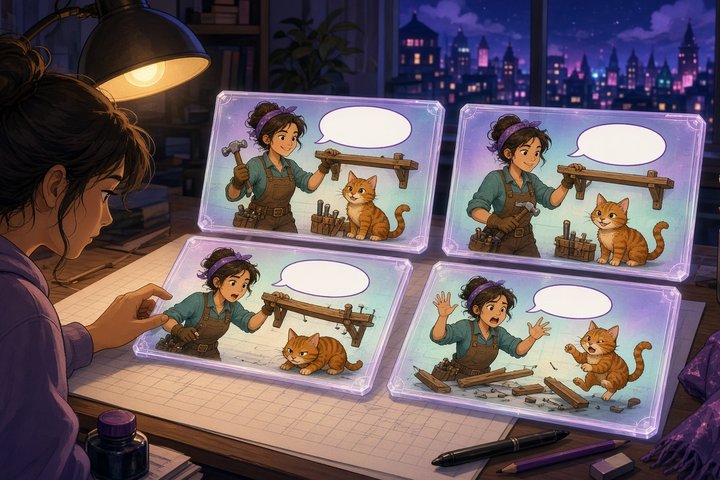
Ever asked an image model for a four-panel comic and gotten speech bubbles drifting across panel borders, or a hero who changes face between frames? Krea 2 BBOX Turbo is a community fine-tune built for exactly that. You write a layout in plain text, with boxes for every panel, character and line of dialogue, and it puts each thing where you asked.
The fine-tune itself is by Hugging Face user jimmycarter, whose final 20-epoch release landed Oct 27. The fresh news is from today, Nov 1 (14:40 UTC): developer NidAll published INT8 ConvRot builds of all three Turbo variants. Each file is about 14.1 GB instead of the 26.28 GB source, and works as a straight swap in ComfyUI's built-in Krea 2 text-to-image template.
What Shipped
The INT8 files
krea2-bbox-turbo-int8-convrot.safetensors: the plain fine-tune. It follows boxes most precisely.krea2-bbox-turbo-ema_0.9995-int8-convrot.safetensorsandkrea2-bbox-turbo-ema_0.99975-int8-convrot.safetensors: EMA versions (smoothed averages of the training weights). They can look a little cleaner but follow boxes slightly less exactly.- The conversion copies the recipe of the official Comfy-Org Krea 2 Turbo INT8 build: the same 224 quantized layers and the same per-layer ConvRot group sizes. It was made with comfyui-native-quantizer 2.3.0rc3.
- Each checkpoint was smoke-tested in ComfyUI on the grounded four-panel prompt before upload, and SHA256 checksums are published.
What the fine-tune learned
- It was trained on 40,000 images: 20,000 general images, 10,000 comics and 10,000 art pieces, all picked from a pool of 30 million pre-AI-internet images.
- Every image was auto-labelled with boxes using Gemma 4 31B and NVIDIA LocateAnything-3B.
- About 90% of training used a compact layout language (grounding DSL) instead of prose, so plain prose prompts still work but boxes are its superpower.
Use It in ComfyUI
- Put an INT8 file in
ComfyUI/models/diffusion_models/. - Use the stock Krea 2 text encoder and VAE from
Comfy-Org/Krea-2and load the built-in Krea 2 text-to-image template. Swap only the diffusion model. - Sample at 8 steps with CFG off (it's Turbo-distilled).
If you have the VRAM, the full-precision single-file checkpoints live in jimmycarter's repo, plus a Raw version that samples at 50 steps with CFG 5.5. There are also LoRA versions (rank 64/128/256), but they're rough approximations: even rank 256 carries only about 28% of the fine-tune's effect. For real box-following, use the full weights.
How the Layout Language Works
- First line: one sentence describing the whole image.
@line: style and medium, such asclean line art, flat colors; Digital illustrationoreye-level, natural light; Photograph.~line: background or setting.- One element per line:
ppanel,oobject,ttext,peperson,acanime character,fcfurry or anthro character. - Boxes are
[x0,y0,x1,y1]on a 0–1000 grid, x first, with the origin at the top-left. Swapping x and y is the classic silent mistake: it still renders, just in the wrong places. - Same id, same character:
ac:1in panel one andac:1in panel three means the same person, so describe them again each time. - Text is verbatim inside quotes, and any styling note goes after the closing quote.
- The whole prompt is capped at 512 tokens. Put panels first, and trim prose rather than elements, or your dialogue lines get cut off the end.
Here's the four-panel example from the model card, ready to paste:
A four-panel comic in which an anime handywoman and an anthropomorphic tabby cat assemble a flat-pack shelf and fail completely.
@clean line art, flat colors, light cel shading; Digital illustration
~A bare apartment living room with cardboard packaging and loose screws on a pale wood floor.
p[0,0,500,500] Top-left panel: the handywoman holding up the instruction sheet, confident.
p[500,0,1000,500] Top-right panel: the cat batting a single screw off the floor.
p[0,500,500,1000] Bottom-left panel: a lopsided half-built shelf wobbling.
p[500,500,1000,1000] Bottom-right panel: the shelf collapsed, the cat sitting smugly on the wreckage.
ac:1[60,80,340,470] A young woman with short dark hair in blue overalls, holding an instruction sheet, confident grin.
fc:2[560,90,880,470] An anthropomorphic tabby cat in a tool belt, one paw raised mid-swat, innocent expression.
t[80,40,420,120]"SOME ASSEMBLY REQUIRED." black text in a rounded speech bubble
o[80,700,440,960] The collapsed shelf, planks fanned out across the floor.
t[540,530,960,610]"IT HAS FIVE LEGS NOW." black text in a rounded speech bubble
Want photos instead? Make the medium Photograph, put camera and light notes on the @ line, and use pe for people. The prompting guide warns that "photorealistic", "8k" and "masterpiece" push it toward renders, so skip them.
License Check
These are modified versions of the Krea 2 model, covered by the Krea 2 Community License. Commercial use is allowed only below $1M in annual revenue, and above that you need an Enterprise License from Krea. Neither the fine-tune nor the INT8 builds are official Krea products.
Original Source
- INT8 ConvRot builds (NidAll): https://huggingface.co/NidAll/Krea-2-BBOX-Turbo-INT8-ConvRot
- Krea 2 BBOX Turbo fine-tune (jimmycarter): https://huggingface.co/jimmycarter/krea2-turbo-bbox
- Prompting guide: https://huggingface.co/jimmycarter/krea2-turbo-bbox/blob/main/PROMPTING.md
Conclusion
Comics are where image models usually stumble: too many things that need to be in exactly the right place. Krea 2 BBOX Turbo turns layout into something you can simply write down, and the new INT8 builds make it far friendlier to a home GPU. Sketch your panels on graph paper, type the boxes in, and let your characters finally stay in their lanes.
—Aurelia ♡