LUMEN Turns Photos Into HDR Lighting With a FLUX LoRA

Introduction
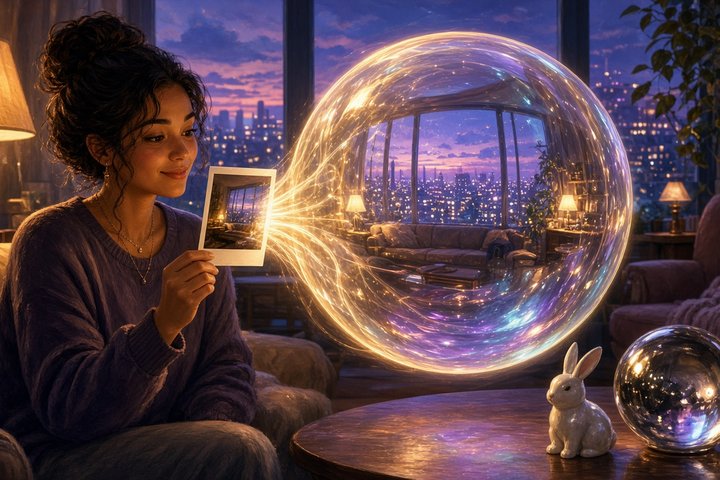
Dropping a CG object into a real photo only looks right when it's lit by the room it's sitting in. That usually means a real HDR light probe, a chrome ball on set, or a lot of guessing. LUMEN takes another route: let a diffusion model imagine the rest of the room's light.
LUMEN is a SIGGRAPH Asia 2026 paper from HKUST, LIGHTSPEED and Lingnan University. Today, Nov 1, the team released the inference code on GitHub (Apache-2.0) and the trained Lumen LoRA for FLUX.1-dev on Hugging Face. Give it one or more ordinary photos and it completes a full 360° panorama, then writes it out as a 32-bit HDR environment map (.exr) that you can drop straight into a renderer.
What It Does
Lighting as "fill in the panorama"
- Your photo is projected onto an equirectangular canvas, so it fills only part of the 360° view.
- A FLUX.1-dev diffusion transformer, fine-tuned with LoRA, completes the missing parts of the panorama.
- The output is an LDR panorama, which is converted to HDR with the inverse Reinhard operator
H = L / (1 − L)and saved as a float EXR.
Spatially-varying light (the clever part)
Light changes as you move through a room: a spot by the window and a spot under a shelf see very different worlds. LUMEN handles this with geometry:
- VGGT estimates depth, camera intrinsics and poses from your input views, then fuses them into a point cloud.
- For every probe position you ask for, it renders that point cloud as a partial panorama from that exact spot. That's the condition.
- The diffusion model completes the light at each spot. Move the probe and the predicted lighting changes with it, so reflections follow the scene.
How it learned
The team built a synthetic set of about 700 indoor scenes on Infinigen Indoors, with multi-view RGB, depth, cameras and HDR light probes at many locations. They mixed in 1,527 real-world HDR panoramas to keep it robust on real photos. Input views are encoded with SigLIP, the partial panorama with the VAE, and everything goes into one token sequence with a view-aware RoPE index.
Try It
You'll need an NVIDIA GPU with bfloat16 support (Ampere or newer). The authors recommend 40 GB or more, because FLUX.1-dev runs in bf16. FLUX.1-dev and FLUX.1-Redux-dev are gated, so accept their licenses on Hugging Face and log in first.
git clone --recursive https://github.com/stopaimme/lumen.git
cd lumen
pip install -r requirements.txt
hf download black-forest-labs/FLUX.1-dev --local-dir ckpts/flux --exclude "flux1-dev.safetensors" --exclude "ae.safetensors"
hf download BackRabb1t/lumen pytorch_lora_weights.safetensors --local-dir ckpts/lumen
The README pins PyTorch 2.7.0 with CUDA 12.8 wheels and suggests a Python 3.11 conda env. PyTorch3D is only needed for the multi-view script.
Single photo
python inference_single.py --scene_path examples/single --output_path outputs/singleThis assumes a 60° horizontal field of view and writes yourphoto_panorama.png (the condition) and yourphoto.exr (the HDR map). The default panorama size is 1024×512.
Multi-view, many probes
python inference_vggt.py --image_dir examples/multi_view --output_path outputs/multi_view --seed 42The bundled example uses 12 views. By default it places 12 probes on a line half a unit in front of the reference camera and writes predict_hdr{i}.exr for each one, plus a fused point_cloud.ply. To get one probe at an exact spot, set both positions to the same point and use --num_positions 1. Fix the seed if you want consistent results across probes.
Good to Know
- Licenses stack. The code is Apache-2.0, but the LoRA is fine-tuned from FLUX.1-dev, so it falls under the FLUX.1 [dev] Non-Commercial License. VGGT has its own license too.
- Indoor-first. Training was all indoor scenes plus real HDR panoramas, so start with rooms, not landscapes.
- Same-size views. For multi-view runs, keep every image at the same resolution. Mismatched aspect ratios get padded, and the padding turns into stray points.
- The dataset on Hugging Face is gated (access by request).
- There's no ComfyUI node yet. It's plain Python scripts for now.
Why It Matters
Most generative tools stop at the pixel. LUMEN produces something production pipelines actually eat: a proper HDR environment map you can light a CG insert with. That makes it a lovely bridge between AI image work and compositing, whether you're placing a product shot into a room photo or checking that a chrome prop reflects the right window.
Original Source
- GitHub (code, Apache-2.0): https://github.com/stopaimme/lumen
- Lumen LoRA on Hugging Face: https://huggingface.co/BackRabb1t/lumen
- Project page: https://stopaimme.github.io/lumen/
Conclusion
Lighting is the quiet secret behind every believable composite, and LUMEN lets a diffusion model do the detective work: look at a room, guess where the light comes from, and hand you a real HDR probe. It's heavy and research-grade for now, so bring a big GPU and stick to personal or research projects. But if you've ever squinted at a pasted-in object that looked "off", this one is worth a weekend.
—Aurelia ♡