Meshy Edit: Lasso Part of a 3D Model, Prompt the Fix

Introduction
Meshy Edit is live. Meshy launched a part-level editing tool for 3D models: select the part you want to change, describe the change in plain language, and you get a new model in about a minute while everything outside your selection stays the same. Meshy says it runs on a new model it built in-house. It's a closed, credit-based feature in the Meshy web app, available now to all registered users, at 20 credits per edit. Meshy
on October 16 and published the launch post and press release the same day.This is the 3D version of inpainting. Before, a model that was almost right meant either regenerating the whole thing (which also changes the parts you liked) or exporting it to Blender and fixing it by hand. Meshy Edit adds a third option: change one prop and keep the character.
What shipped
- Name and vendor: Meshy Edit, from Meshy. Local editing is the first tool in a new Edit Mode, and Meshy says more editing tools will follow
- Modality: prompt-driven partial editing of 3D meshes (add, remove or replace a part) using text, reference images, or both
- Open vs API: closed, proprietary in-house model. It's a web-app feature only. The Meshy API changelog's latest entry (October 15,
meshy-t2.5) doesn't list an Edit endpoint - Where to run it today: meshy.ai. Click Edit in the toolbar under a model, or use the first card under Post-Processing in the Print module
- Price and speed: 20 credits per edit, usually about a minute. Failed edits are refunded automatically
- Supported models: high-poly models generated with Meshy 6 and Meshy 7.1, including Ultra 2K. Textured models switch to their untextured version for editing
How it works
- Open a model you generated in Meshy and click Edit to enter Edit Mode
- Select the part you want to change:
- Lasso: circle a part on screen to select its whole mesh, including the front, sides and back
- Brush: paint visible surfaces to refine the edge of the selection
- Lasso Eraser / Eraser: deselect by circling or painting
- Clear All: start the selection over
- Describe the change. You can attach up to five reference images, 20 MB each
- Click the ↑ button at the bottom right of the description box. The edit runs in the background, and Meshy notifies you when it's done
If you don't select anything, the prompt applies to the whole model. Each edit creates a new model and keeps the original, so you can stack edits, download the result, or send it straight to a slicer (Bambu Studio, Snapmaker, Flash Studio and xTool Studio are supported).
Prompts to start with
Meshy's own example is a single sentence: "Remove the hat." Keep prompts short, and describe the shape you want. Here are a few starting points written in that style for typical game-asset variations:
Remove the hat
Replace the sword with a short wooden staff
Add a round leather shield on the left arm
Make the shoulder pads thicker and rounder
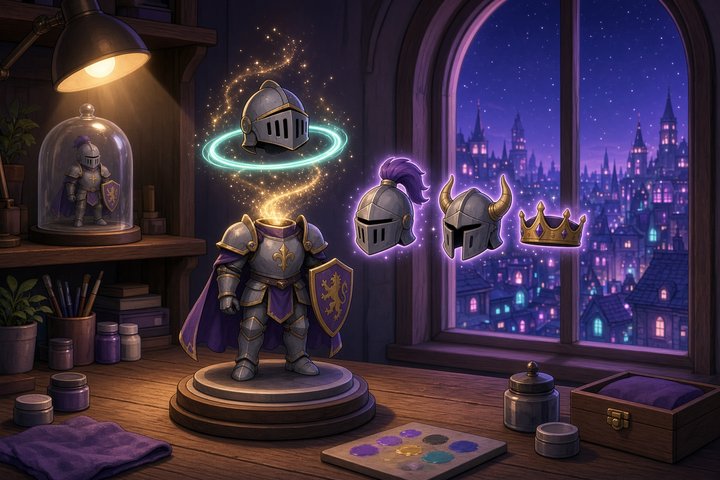
Replace the helmet with a hood
Pro Tip
Meshy's guidance on what works:
- Accessories are the sweet spot. Swapping or adding things worn on the body, like hats, glasses or helmets, gives the most consistent results
- Select a bit wider. Include some of the neighboring area in your selection, not just the exact part
- Name the shape. Words like "thicker" or "round" do more than vague style words
- Expect retries on removals. Results vary, and removing a part can take several attempts. Failed edits are refunded, so a failed attempt doesn't cost you credits
Why game teams should care
- Character variants without drift: lock a finished hero and generate weapon or accessory variants from it. That's the use case Meshy calls out for game developers, and it's where full regeneration lets you down
- The original is always kept: every edit is a new model, so variant trees stay easy to manage and you can always go back
- Same-week competition: Scenario shipped its own prompt-based 3D Edit this week. One clear difference: Scenario says it works on models made with any tool, while Meshy Edit only works on Meshy-generated models for now
Caveats
- Meshy models only: uploaded models aren't supported yet, so you can't bring in a mesh from another tool or your own DCC pipeline
- Not every tier: Ultra 4K and low-poly models aren't supported yet. If your pipeline depends on low-poly game meshes, this doesn't cover it today
- Geometry first, texture later: textured models switch to their untextured version for editing. Plan to retexture after you edit
- No API yet: this is UI only, so batch-generating variants through the API isn't possible today
- Variable results: Meshy says some edits take more than one try
Original Source
https://www.meshy.ai/blog/meshy-edit
https://www.prnewswire.com/news-releases/meshy-debuts-new-in-house-ai-model-with-meshy-edit-letting-users-change-selected-parts-of-a-3d-model-with-one-prompt-302911259.html
Conclusion
Meshy Edit fixes the most common problem in AI 3D: a model that's 90% right. You select the part, describe the change, and only that part gets regenerated. It's limited to Meshy's own high-poly models, it's UI-only and it doesn't touch textures yet. But if you're producing character and prop variants, it's a quick upgrade to your workflow.
—Titus