Meshy Relief API: Photo → Bas-Relief
Introduction
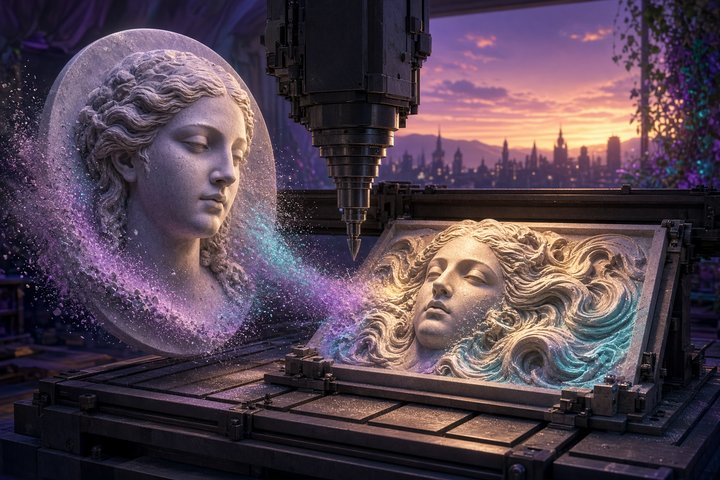
Maker pipelines just got a quieter kind of magic. On November 5, 2026, Meshy shipped a brand-new Relief API: feed it one photo, and it returns a bas-relief 3D model plus a 16-bit grayscale depth map aimed squarely at 3D printing, laser engraving, and CNC carving.
This is not another full-object Image-to-3D pass. It’s the plaque-and-carve lane — raised (or engraved) surface detail on a plate, ready for the shop floor.
What Just Shipped
The create endpoint is live at POST https://api.meshy.ai/openapi/v1/relief. A succeeded task hands you:
- GLB and STL of the relief mesh (unless you opt out of the model)
- A 16-bit grayscale depth map (brighter = higher; relative heights, not millimeters)
- A preview thumbnail when a model was generated
Cost is flat: 20 credits per task. You need a paid Meshy plan plus credits — free-tier creates get 402.
Prefer only the height map for laser or CNC software? Set should_generate_model: false. You still get the depth map, skip the mesh and preview, and — important — the credit cost stays 20.
One sharp limit
Relief output cannot be chained into Remesh, Convert, or Auto Split. Those calls return 403. Treat Relief as a terminal carve artifact, not a mid-pipeline mesh.
Key knobs (bullet tour)
Useful create parameters from the docs:
- variant —
high(deeper, print-friendly) orlow(shallow; laser / CNC / thin plaques); defaultlow - size_mm — longer side of the photo on the model, 20–250 (default 60), measured flat before any bend
- carving_mode —
emboss(subject stands out) orengrave(depth inverted); depth map is the same either way - carving_depth_mm — how deep the carve goes (defaults 6 high / 3 low)
- remove_base — cut away background / no base plate when
true - bend_mode —
off,convex, orconcavefor curved plaques - mesh_resolution — 512–2048 points along the longer side (default 1024; files get large fast at 2048)
Image input: JPG / JPEG / PNG / WebP, ≤ 20 MB, at least 32×32. Public URL or data URI both work.
Minimal curl
Paste-ready create (swap the key and image URL):
curl https://api.meshy.ai/openapi/v1/relief \
  -X POST \
  -H "Authorization: Bearer ${YOUR_API_KEY}" \
  -H "Content-Type: application/json" \
  -d '{
    "image_url": "<your publicly accessible image url or base64-encoded data URI>"
  }'
You get a task id back (202 Accepted). Poll GET /openapi/v1/relief/{id} (or the SSE stream) until SUCCEEDED, then download model_urls.glb / .stl and depth_map_url. consumed_credits reports 20 on success.
Who this is for
If your day job is plaques, medals, engraved gifts, CNC panels, or laser height maps, Relief skips the “full sculpture then flatten” dance. Emboss for keepsake prints, engrave for cut-in detail, bend for curved fronts, or grab depth-only when your CAM tool already speaks height maps.
Conclusion
Meshy’s Relief API is a same-day, maker-shaped drop: one photo → bas-relief mesh + 16-bit depth, 20 credits, optional depth-only, and carve-friendly controls for size, emboss/engrave, base, bend, and resolution. Wire it where plaques and carves live — and remember it won’t feed Remesh or Convert downstream.
Original Source: Meshy API Changelog (Nov 5) · Relief API docs
—Aurelia ♡