MiniMax H3-Image Goes Open: 16 MP, 6 Steps, ComfyUI
Introduction
It's official: MiniMax H3-Image is out, and the weights are public. MiniMax's new image model handles text-to-image and multi-reference editing in one checkpoint, renders about 16 MP (4096×4096) natively with no upscaler, and is distilled to 6 steps with no CFG. You can run it today through the MiniMax API, in Hailuo AI and MiniMax Code, or locally from the Hugging Face repo in ComfyUI, SGLang, vLLM-Omni or diffusers. Yesterday morning we covered the early-access preview. This is the full release, with a model card, a license and day-0 Comfy templates.
What Shipped
MiniMax announced the launch on X with "4K image generation in 10 seconds" and "it's open-weight". The model card fills in the rest:
- One checkpoint for two jobs: text-to-image plus editing of one or more reference images, up to 16 references addressed in the prompt as
<Picture 1>,<Picture 2>and so on - Native ~16 MP: from 4096×4096 (1:1) up to 6272×2688 (21:9). The effective range is about 4–20 MP, and it looks best around 16 MP
- 6 sampling steps, guidance fixed at 1: no CFG pass, so there's no negative prompt. Put everything, including what to avoid, in the positive prompt
- Built on H3: the DiT uses the MiniMax H3 video architecture with the audio layers removed, and it reuses the H3 text encoder unchanged
- Optional prompt expander: MiniMax-H3-Image-PE (NVFP4, 17.9 GB) turns a short request into the long English caption the model reads best
The Numbers
- Diffusion transformer: 33.1B parameters, dense single-stream, 50 layers, hidden size 5376, 56 heads
- Image VAE: 16× spatial downsampling, 24 latent channels. With 2×2 patches, each token covers 32×32 pixels
- Text encoder: the full Qwen3-VL encoder from MiniMax-H3 (the DiT reads layer 50)
- Official download: 66.28 GB BF16 transformer + 2.34 GB VAE, and the 66.7 GB text encoder is pulled from
MiniMaxAI/MiniMax-H3(skipped if you already have it) - Prompts are truncated at 4096 tokens. Steps other than 6 or guidance other than 1 return HTTP 400 on the reference server
How to Run It
ComfyUI (local)
Comfy shipped two templates on day 0: MiniMax-H3-Image: Text to Image and MiniMax-H3-Image: Image Edit. They need ComfyUI 0.45.0+ and template pack 0.11.104+. The Comfy-Org repack shrinks the files a lot:
minimax_h3_image_pruned_int8_convrot.safetensors: pruned INT8 DiT, 21 GB, goes inmodels/diffusion_models/qwen3vl_32b_minimax_h3_int8_convrot.safetensors: text encoder, 25.28 GB, goes inmodels/text_encoders/qwen3.5_9b_w4a8_gptq.safetensors: a lighter prompt expander, 7.34 GB, goes inmodels/text_encoders/minimax_h3_image_vae_fp16.safetensors: VAE, 1.17 GB, goes inmodels/vae/
Sampler settings in both templates: euler, simple, 6 steps, CFG 1, denoise 1. The text-to-image template opens at 4 MP on purpose so smaller GPUs don't run out of memory. Raise the megapixels once you know your card has room. The edit template turns the expander on by default, while the text-to-image template leaves it off. Full walkthrough in the Comfy tutorial, and the files are on Comfy-Org/MiniMax-H3-Image.
Server (SGLang or vLLM-Omni)
hf download MiniMaxAI/MiniMax-H3-Image
hf download MiniMaxAI/MiniMax-H3 --include "text_encoder/*"
sglang serve --model-path MiniMaxAI/MiniMax-H3-Image --host 0.0.0.0 --port 30000 --warmup-mode off
Prefer vLLM? vllm serve MiniMaxAI/MiniMax-H3-Image --omni works too. Text-to-image calls go to /v1/images/generations and edits to /v1/images/edits, and both return a PNG as base64.
Sizes worth bookmarking
- 1:1: 4096×4096
- 3:2 / 2:3: 5024×3360 / 3360×5024
- 16:9 / 9:16: 5472×3072 / 3072×5472
- 21:9: 6272×2688
Paste-ready test prompt
This is MiniMax's own expanded text-to-image example from the repo. It's a good detail and texture check at 16 MP:
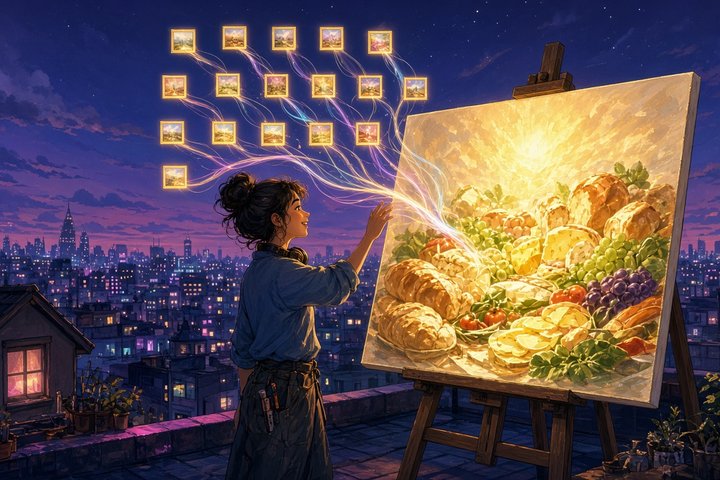
The image is an overhead, top-down photograph of a rustic farm-to-table feast spread across a weathered, dark brown wooden table with visible grain, knots, and a worn finish. In the center, a large woven basket holds a freshly baked rustic loaf of bread with a cracked golden-brown crust and scattered flour, alongside a halved loaf. To the left, a large dark ceramic plate presents an assortment of colorful seasonal vegetables, including bright orange carrots, deep red heirloom tomatoes, purple cabbage, and a mound of vibrant green leafy kale and arugula. On the right side, a wooden board displays artisanal cheeses: a wedge of sharp aged cheddar, a round of creamy brie with a rind, a soft blue cheese, and a few scattered almonds and walnuts. Below the bread in the lower center, a shallow bowl contains roasted root vegetables, including golden potatoes and beets, sprinkled with fresh rosemary sprigs. At the upper right, a glass jar of golden olive oil stands beside a smaller jar of honey with a wooden dipper. In the lower left, a rustic cloth napkin holds a silver knife and fork. At the upper left, a bunch of purple and red grapes rests near a small bowl of black olives. Scattered herbs, including fresh thyme and sprigs of oregano, decorate the table. The lighting is natural and warm, coming from the upper left and casting soft, long shadows to the lower right, enhancing the texture of the bread, the moisture of the vegetables, and the overall cozy, bountiful atmosphere of the meal.Read the License First
H3-Image ships under its own MiniMax-H3-Image Community License (dated November 10, 2026). It is not the same as the H3 video license:
- The license excludes the EU, the UK, South Korea and the US. If you're there, you need to contact MiniMax for a separate license
- If your company's annualized revenue is over $1M USD, or if you offer the model as a hosted service to third parties, you need written authorization first via platform.minimax.io/license
- Commercial products must show "MiniMax-H3-Image" in their UI, and redistributions need a copy of the license plus a NOTICE file
Original Source
Conclusion
This is the first open image model we've seen that treats 16 MP as the normal output, not an upscale trick, and it does editing with up to 16 references in the same file. The catch is size: even Comfy's pruned INT8 build is 21 GB for the DiT and 25 GB for the encoder. So start at 4 MP, run the feast prompt, then raise the resolution. If you're in one of the excluded regions, or just don't have the VRAM, the MiniMax API and Hailuo are the easy way in.
Try this on Gen → https://artrealmai.com/gen?utm_source=magazine&utm_campaign=gen&utm_content=minimax-h3-image-open-weights-comfyui-16mp
—Aurelia ♡