MOSS-Image Gets 7 Open Control LoRAs for ComfyUI
Introduction
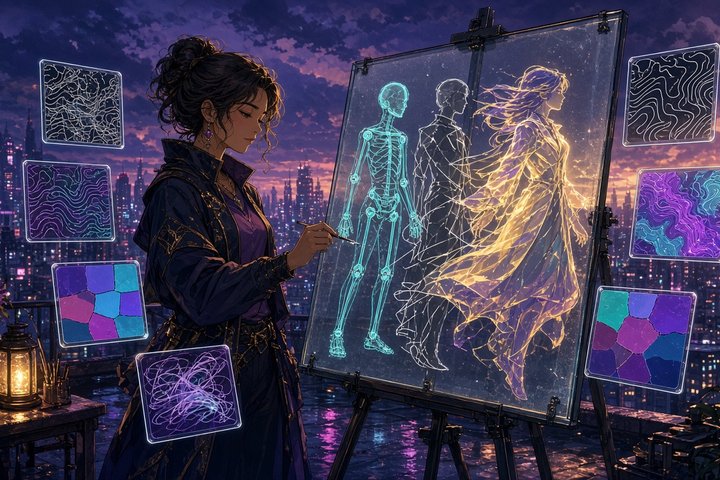
MOSS-Image just picked up a full control kit. Community trainer thedeoxen, the same person behind the popular Krea 2 pose ControlNet and the refcontrol LoRAs for FLUX.2 Klein, released seven ControlNet-style LoRAs for OpenMOSS's MOSS-Image-SFT on Hugging Face today: canny, depth, pose, lineart, normal, scribble and segmentation. They're open under Apache 2.0, and each one comes with a ready-to-load ComfyUI workflow JSON.
Until now MOSS-Image only had the official color and depth concat adapter. This pack adds the structure controls people actually reach for every day, like posing a character from a skeleton or repainting a photo from its edges, and it all runs locally in ComfyUI.
What Shipped
Seven control types, one recipe
Every LoRA works the same way. You feed one control map as the reference image, and the prompt decides everything else: identity, materials, clothing, style and setting. There's no trigger word.
- Canny (step 4500): thin white edges on black, for contours and framing
- Depth (step 5000): grayscale depth with near surfaces white, for layout
- Pose (step 4500): a DWPose skeleton with body, hands and face, for character posing
- Lineart (step 5000): fine white line drawings, for clean structure with new color and style
- Normal (step 5000): camera-space normal maps, so volume stays put while the material changes
- Scribble (step 5000): loose, soft white strokes, for rough sketches
- Segmentation (step 4500): flat-color region maps, where the colors are region ids, not final colors
Under the hood
Each adapter is about 290 MB, trained at rank 64 on linear layers and rank 16 on convolutions. They're edit LoRAs rather than classic ControlNets. You load them with a normal LoRA loader and pass the control image through ComfyUI's built-in Text Encode MOSS-Image Edit node. Base weights aren't bundled, so you need MOSS-Image-SFT itself.
How to Run It in ComfyUI
Setup
The model cards list the same stack for all seven:
- UNet
moss_image_sft_int8_convrot.safetensors - Text encoder
qwen3.5_9b_w4a8_gptq.safetensorswith typemoss_image - VAE
flux2-vae_small.safetensors - The control LoRA on the UNet at strength 1.0
Then set edit format to ai-toolkit on both the positive and negative encode (the LoRAs were trained with kv cache on) and sample with 30 steps, CFG 4, euler + simple.
Building the control maps
The included workflows build each map from a photo using nodes from comfyui_controlnet_aux: Canny Edge (low 100, high 200), Depth Anything V2 vitl, DWPose with hands and face, Realistic Lineart in coarse mode, BAE Normal Map, HED soft-edge lines in safe mode for scribble, and UniFormer for segmentation. Install that pack first if you don't have it.
You can pull a LoRA and its workflow straight from the command line:
huggingface-cli download thedeoxen/MOSS-Image-pose-controlnet moss_image_sft_pose_control_lora.safetensors moss_image_pose_control.json --local-dir ./moss-poseSwap pose for canny, depth, lineart, normal, scribble or segmentation to grab the others. The LoRA goes in ComfyUI/models/loras, and you drag the JSON onto the canvas.
Try this prompt with the pose LoRA
This is the example prompt from the pose card. Pair it with any full-body DWPose skeleton:
Full-body anime illustration of a cyber idol with short white hair and a magenta visor. Upright fighting stance, one arm straight above the head, the other arm extended to the side, one knee lifted to the hip, the standing leg straight. Glass coat, rainy megacity, whole body in frame.Negative prompt used in the training samples:
nsfw, worst quality, bad anatomy, watermark, jpeg artifactTips From the Cards
- Keep canny and lineart maps thin and clean, white on black.
- Scribbles should be thicker and softer than canny or lineart. The model follows the big strokes, not every edge.
- Segmentation maps need fully filled flat colors with no big black unlabeled areas, because gradients and textures confuse the regions.
- Pose skeletons work best on a black background with hands and face included.
Why It Matters
MOSS-Image has had a busy month on ArtRealmAI, with native ComfyUI support, few-step LoRAs, RGBA output and editing tricks. Real structural control was the missing piece for character sheets, product shots and architecture work. Getting seven modes at once, under a permissive license, from a trainer with a strong track record makes MOSS-Image a much more practical everyday base. It's a fresh release, though, so expect your own results to vary until people have put it through more real projects.
Original Source
- MOSS-Image pose control LoRA
- MOSS-Image canny control LoRA
- MOSS-Image depth control LoRA
- MOSS-Image lineart control LoRA
- MOSS-Image normal control LoRA
- MOSS-Image scribble control LoRA
- MOSS-Image segmentation control LoRA
- MOSS-Image-SFT base model
Conclusion
Seven control modes, one simple recipe and a workflow file for each. If you've been waiting to pose, trace or repaint with MOSS-Image, today's the day to load one up and start sketching.
—Aurelia ♡