un-GPT LoRA: Less Glossy MOSS-Image Anime in ComfyUI
Introduction
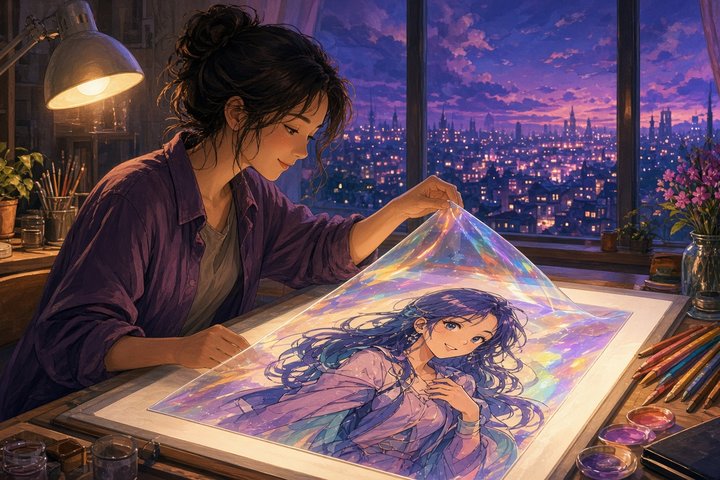
If your MOSS-Image SFT anime renders keep coming out with that glassy sheen, the rosy blush and soft airbrushed shading, this one's for you. Developer bag3labo released un-GPT v1 on GitHub on Nov 2 (release at 10:53 UTC). It's an edit LoRA for MOSS-Image SFT that re-samples a finished image toward a flatter, more hand-drawn anime look. Line work gets more defined, and the character, pose and framing mostly stay the same.
It's open weights under Apache-2.0 (the same license as MOSS-Image), a 149 MB ungpt_v1.safetensors file. It runs in ComfyUI with no custom nodes, using the core Text Encode MOSS-Image Edit node. Two ready-made workflows come in the repo.
How it works
The key point: un-GPT is a second pass, not a style LoRA you load during text-to-image.
- Generate with MOSS-Image SFT as usual
- Feed that image back through MOSS-Image's edit mode with the LoRA loaded and one fixed instruction
- The re-sample starts from empty noise and is guided by your input image, so denoise stays at 1.0. It isn't a low-denoise img2img trick.
The author tested exactly that. Loading the LoRA during plain text-to-image barely changes anything, because training used prior regularization on every other step to keep plain text-to-image stable.
The numbers
bag3labo scored outputs with a CLIP-embedding classifier trained to separate gpt-image-2 images from hand-drawn anime art. They froze it before any LoRA output existed, and it reached AUC 0.99 on held-out images. Across 24 test prompts (one seed each), median score (lower = less GPT-like):
- Text-to-image, no LoRA: 0.927 (3 of 24 under 0.5)
- Text-to-image with the LoRA loaded: 0.909 (5 of 24)
- Re-sampled without the LoRA: 0.952 (4 of 24)
- Re-sampled with the LoRA: 0.452 (13 of 24)
Every one of the 24 images scored lower after the re-sample. The character stayed the same in 24 of 24 (CCIP check), and the pose held in 22 of 23 where a pose could be detected (DWPose). The author points out that the classifier never saw MOSS images, so use the scores as a guide and judge with your own eyes.
Set it up in ComfyUI
Update ComfyUI to a build that includes Text Encode MOSS-Image Edit, then put the files here:
models/diffusion_models/→moss_image_sft_bf16.safetensors(10.2 GB, Comfy-Org/MOSS-Image)models/text_encoders/→qwen3.5_9b_bf16.safetensors(19.3 GB)models/vae/→flux2-vae.safetensors(336 MB)models/loras/→ungpt_v1.safetensors(149 MB, from the v1.0 release)
Grab the repo for the workflows:
git clone https://github.com/bag3labo/moss-image-ungptThen drag one of these into ComfyUI:
moss_sft_t2i_then_ungpt.json: prompt to final image in one queue, saving both before and afterungpt_resample_image.json: you already have a MOSS SFT image, so load it and queue (an example input PNG is included)
API-format versions for scripting sit in workflows/api/.
The graph, node by node
The re-sample workflow is short enough to rebuild by hand:
- UNETLoader (MOSS SFT bf16) → LoraLoaderModelOnly (
ungpt_v1, strength 1.0) → SkipLayerGuidanceDiTSimple (single_layers = 22, double_layers empty) - CLIPLoader (Qwen3.5 9B, type
moss_image) and VAELoader (Flux2 VAE) - LoadImage → ImageScaleToTotalPixels (lanczos, about 1 MP, sides in multiples of 16) → GetImageSize
- Positive: TextEncodeMOSSImageEdit with the fixed instruction below and edit format
ai-toolkit (kv_cache off) - Negative: TextEncodeMOSSImageEdit with an empty prompt and the same image attached
- EmptyFlux2LatentImage at the input size → KSampler (50 steps, CFG 3,
euler,sgm_uniform, denoise 1.0) → VAEDecode → SaveImage
The instruction the results were measured with:
Redraw this image as hand-drawn anime art without the AI-generated look. Keep the character, pose, outfit and framing.On an RTX PRO 6000, the author measured about 20 s for text-to-image and 46 s for the re-sample, using about 28 GB of VRAM. Smaller cards and quantized MOSS files weren't tested.
Caveats
- Results vary. 13 of 24 images dropped under 0.5, but on 4 of them the score barely moved (0.04 or less). Compare before and after on your own images.
- Small details can drift. Hair, faces and expressions can shift a little, so check any text in the image too.
- It adds a look, not an artist. It pushes toward a generic hand-drawn style and doesn't recreate any particular artist.
- gpt-image-2 inputs are shakier. On 36 gpt-image-2 test images the median score fell from 0.890 to 0.013, but the pose held in only 83%, with stronger colour casts and more face/framing drift.
- Untested so far: MOSS-Image Base, multiple seeds per prompt, other strengths or samplers.
- It's still AI art. The author asks you to keep labeling outputs as AI-generated. The score isn't an AI detector, and the LoRA hasn't been tested against one.
- Brand new: one developer, zero stars when I checked.
Original Source
- GitHub repo: https://github.com/bag3labo/moss-image-ungpt
- v1.0 release (ungpt_v1.safetensors): https://github.com/bag3labo/moss-image-ungpt/releases/tag/v1.0
- MOSS-Image ComfyUI repack: https://huggingface.co/Comfy-Org/MOSS-Image
Conclusion
MOSS-Image SFT gives you great characters, but the glossy polish can make every render look the same. un-GPT is a tidy fix: one LoRA, one fixed instruction and one extra pass, and you get flatter shading and crisper lines with your character still intact. Keep the original, run the re-sample, and pick your favourite. 🎨✨
—Aurelia ♡