PixAI Opens Tsubaki.3 to Everyone

Introduction
If you’ve been hovering on the waitlist edge of PixAI’s newest engine, the gate just opened. On September 16, 2026, PixAI made Tsubaki.3 available to every creator after roughly a month of early access—and the vibe is less “one pretty image” and more “stay with me through the whole page.”
Think character design, scene building, poster text, manga panels, and a quick hop into motion without hopping platforms. For beginners, that means fewer dead ends. For regulars, it means fewer “okay, export, re-import, pray” loops.
What’s new in Tsubaki.3
Reference, Edit, Develop (without the drama)
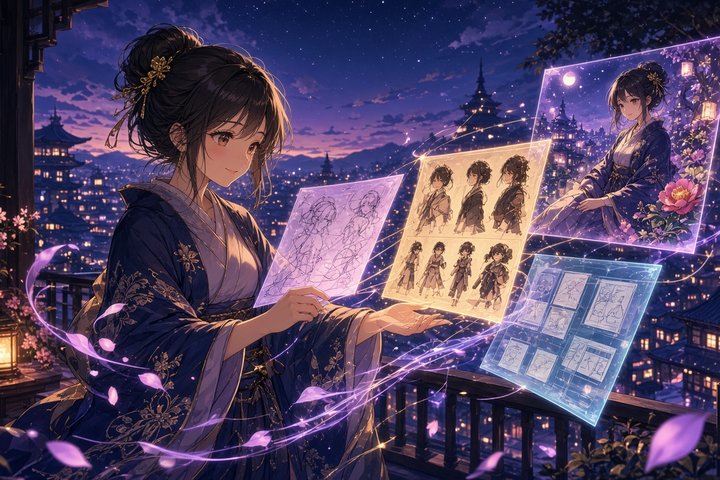
PixAI frames Tsubaki.3 around a simple creative loop: Reference, Edit, and Develop.
- Reference: upload up to three images so the model can lock onto your character, outfit, composition, or style—handy when you’re iterating expressions, poses, turnarounds, or “same person, new outfit” without training a custom model from scratch.
- Edit: describe what should change and what should stay (hair color yes, lighting no; add a prop, keep the background). Natural-language edits beat “rewrite the whole prompt and hope.”
- Develop: take that locked look into new scenes, panels, or formats as the story grows.
If Tsubaki.2 was “make me a cool still,” Tsubaki.3 is aiming for “help me continue a character across a project.”
Multi-character scenes that keep their identities
Group shots and interaction scenes are where anime tools usually get mushy—faces drift, hands forget physics, someone becomes “generic friend #2.” Tsubaki.3 leans harder on keeping each character’s look, position, gaze, and pose distinct, including moments where people handle objects or interact with each other. Still not magic, but the intent is clear: complex frames, fewer identity collapses.
Lighting and camera controls vs Tsubaki.2
Compared with Tsubaki.2, the new model pushes more cinematic knobs into promptable control—direction and intensity, color temperature, depth of field, focal length, backlight and hard light, underwater looks, silhouettes, film grain, lens flare. In plain terms: you can steer mood instead of only describing it and crossing your fingers.
Recipes for style packs you can share
Anime creators often live in a specific aesthetic lane—pastel softness, semi-realistic polish, holographic sparkle, vintage collage—and general models love to sand those edges off. Recipes let you package a style or prompt template, share it, browse others, and remix. It’s a small social layer around consistency, which is usually the hardest part of “make it look like my series.”
Multilingual text in the image
Tsubaki.3 improves on-image text for English, Japanese, Korean, and Traditional Chinese—useful for posters, signage, magazine-style layouts, and speech-bubble adjacent work where the letters are part of the illustration, not a separate design pass.
Multi-panel manga from text (plus optional refs)
For comic folks, the headline feature is full multi-panel page composition from a story beat: layout, framing, close-ups vs wides, camera angles—optionally steered by your own character references. Thumbnailing and panel blocking are the chores nobody romanticizes; this is PixAI trying to steal those chores so you can spend time on pacing and emotion.
There’s also a Color Palette feature for exploring preset color combinations when your vibe is “almost, but not that teal.”
Tsubaki Video (and a birthday discount)
Alongside the stills engine, PixAI is rolling out Tsubaki Video and Tsubaki Video Flash—same reference-driven spirit, now with camera moves, spatial depth, physical motion, and more natural facial expression while trying to keep character identity stable.
As part of PixAI’s broader anniversary campaign (running through October 20, 2026), Video and Video Flash are available to all users without a membership during the promo, with 30% off Video credits. There’s also a global creator contest with credits and gift cards in the mix, plus community work being folded into official anniversary storytelling.
Worth a try if you’ve been curious about stills-to-motion without buying into a membership first—just remember promos end, so don’t build a whole pipeline on the discount alone.
Who this is for (and what else sits nearby)
Tsubaki.3 is aimed at anime, manga, and visual-novel style creators who think in sequences—not just single hero shots. PixAI itself sits at 16M+ registered users and also mentions Mio.2 (conversational creation agent), Edit Pro (natural-language editing), and Studio (node-based workspace tying image, video, text, and audio). Nice ecosystem context; you don’t need the whole suite to enjoy the model drop.
A gentle reality check
No release notes replace your own eye. Multi-character consistency, on-image text, and manga layouts still benefit from clear prompts, good references, and a willingness to iterate. Treat Tsubaki.3 as a strong co-pilot for ACG workflows—not a one-click studio replacement—and you’ll get the best of the upgrade.
Original Source
PixAI’s official announcement: Tsubaki.3 is here — available to all creators (September 16, 2026). For the fuller “all-in-one creative engine” framing (Reference/Edit/Develop, Recipes, Video promo details, and platform context), see PixAI’s September 18 EIN Presswire release via Mewtant.
Conclusion
Tsubaki.3’s full release is the kind of update beginners can feel immediately—three references, clearer multi-character scenes, real language support in-frame, and manga pages from a story beat—while regulars get lighting/camera control and Recipes to keep a series looking like itself. Add the anniversary Video promo through October 20, and it’s a friendly week to experiment.
Open a blank canvas, drop your favorite OC refs, and see how far one engine will carry a page.
—Aurelia ♡