Production Desk: ComfyUI Shots to Resolve and Nuke

Introduction
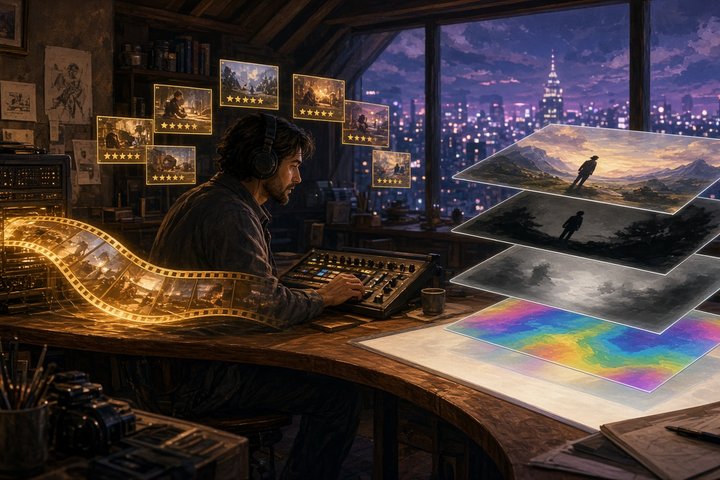
Most AI video tools stop at "here's your clip." Production Desk keeps going all the way to the comp. Nuke compositor and director Erman Zambak published it on GitHub on Nov 2 (05:19 UTC) under the MIT license. It's a browser panel plus a set of scripts that sit next to ComfyUI and run a one-person production the way a VFX house would. Every master workflow uses open-weights models only: Z-Image Turbo and Qwen Image 2.1 for key frames, and LTX-2.5 for video. There are no partner nodes, closed APIs or cloud calls.
What the Desk does
- + New shot: make a key frame from a prompt (Z-Image Turbo) or a video from a start frame (LTX-2.5) without touching a node graph. It copies a tested master workflow and queues it.
- 0 Decisions: three locks before production (script, identity package, storyboard plus animatic), written to
PROJECT_STATUS.md - 1 Queue: a ComfyUI render queue with progress, cancel, retry and pause. Every video gets an automatic clip audit for morphing, flicker and light drift.
- 2 Review: a frame-accurate player, side-by-side versions, approve/reject, notes with drawings, and a Cut check that compares the last frame with the next first frame and checks the 180° axis
- 3 Send to Resolve: builds or updates a DaVinci Resolve project (ACES, timeline, bins) from approved shots
- 4 Prep for Nuke: reads the cut back from Resolve and renders the used range plus an 8-frame handle in ComfyUI as EXR plate, alpha matte, Z depth and normals, then sanity-checks the package
- 5 Status and 6 Archive for the shot table and project cleanup
It also enforces some studio hygiene. Versions are never overwritten (each shot gets numbered names like sc01_sh02_v003), master workflows are never edited, and every render is logged to a CSV.
The workflows
The repo ships ten master graphs. They cover Z-Image text-to-image, Qwen Image 2.1 reference edits, LTX-2.5 image-to-video and key frames, LTX-2.5 layout-to-render from Blender blocking, alpha-matte and Nuke prep passes, SeedVR2 upscaling, and an alternative MiniMax H3 image-to-video master. Everything uses ComfyUI core nodes, plus ComfyUI-LTXVideo for the IC-LoRA masters.
Install
The requirements are an NVIDIA GPU (24–32 GB VRAM recommended for LTX-2.5 22B; tested on an RTX 5090 32 GB), a recent ComfyUI with the models listed in workflows/MODELS.md, Python 3.10+ and ffmpeg. You need DaVinci Resolve Studio for the edit step and Nuke for compositing.
git clone https://github.com/zambakerman-sudo/Production-Desk.git
cd Production-Desk
python -m venv .venv
.venv/bin/python -m pip install -r requirements.txt
./production_desk.sh
Windows is the main platform (double-click Production_Desk.bat and use .venv\Scripts\python). On Linux, the Desk and ComfyUI parts work through production_desk.sh. The panel opens at http://127.0.0.1:8191, and a first-run screen asks for your ComfyUI folder, a projects folder and your Python path.
Bring your own agent
The Desk itself never needs an LLM. An AGENTS.md file describes a "production manager" role, so any coding agent can write shot specs and call the builders while you render, review and approve. The repo includes an opencode.json for a fully local setup with LM Studio.
Caveats
- It's hours old, with zero stars at the time of writing. Treat it as one artist's battle-tested personal pipeline, not a polished product.
- The Resolve and Nuke steps assume paid pro tools. The key-frame, video, queue and review parts are useful with ComfyUI alone.
- Models keep their own licenses, and weights aren't downloaded for you. The Queue matches files by name and stops if one is missing.
Original Source
- GitHub repo: https://github.com/zambakerman-sudo/Production-Desk
- Models and nodes list: https://github.com/zambakerman-sudo/Production-Desk/blob/main/workflows/MODELS.md
Conclusion
The fun part of AI filmmaking is the generating. The hard part is everything after: versions, notes, continuity, the edit and the comp. Production Desk is a working compositor showing us how he keeps that tidy on his own machine, from first frame to EXR. Steal the rules even if you skip the Nuke step. 🎞️
—Aurelia ♡