Qwen-Image 2.1 Gets a Multiple-Angles Camera LoRA

Introduction
Qwen-Image 2.1 just picked up its first camera-control LoRA. Hugging Face user akhaliq published Qwen-Image-2.1 Multiple-Angles LoRA on October 7 (MYT): you give it a photo of an object, ideally the front view, tell it which angle you want, and it re-renders that same object from the new camera position.
It's an open-weight image-editing adapter (about 159 MB, Apache-2.0) for Alibaba's Qwen-Image 2.1, and you can run it today in ComfyUI or diffusers on your own GPU. Earlier Qwen edit models already had this trick through fal's popular Multiple-Angles LoRA for Qwen-Image-Edit-2511. Until now the newer 2.1 base, with its unified generate-and-edit mode and native RGBA output, didn't have one.
What it does
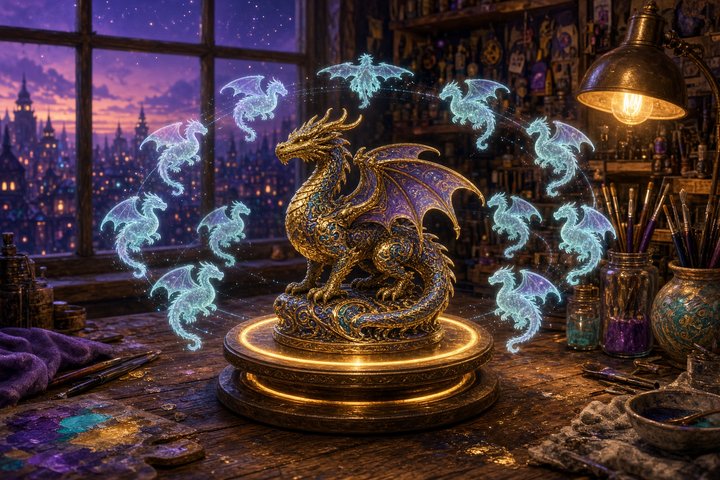
Think of it as a little turntable inside the model. The LoRA learned 36 poses: 12 azimuths in 30° steps around the object, times 4 elevations from eye level up to straight top-down. Add the word close-up to any of them and you get a tighter framing, which makes 72 shots you can ask for by name.
- Trigger word: every prompt starts with
<mva> - Azimuths: front, front-right, front-right quarter, right side, back-right quarter, back-right, back, back-left, back-left quarter, left side, front-left quarter, front-left
- Elevations: eye-level shot (0°), elevated shot (30°), high-angle shot (60°), top-down shot (90°)
- Recommended checkpoint: step 1,000; step 1,500 is the alternate, and step 2,500 bakes harder and starts copying the reference view
- LoRA strength: 0.8 to 1.0
The repo ships every 250-step checkpoint plus training sample grids, so you can pick the trade-off between angle-following and staying close to your input.
Prompt format
Use the labels, not raw degrees. The card says numbers like "47°" aren't parsed, though angles between the trained 30° steps do interpolate reasonably.
<mva> {azimuth}, {elevation}A few ready-to-paste examples:
<mva> back view, eye-level shot<mva> right side view, high-angle shot<mva> front-left quarter view, eye-level shot close-upHow to run it
ComfyUI
Comfy-Org already hosts Qwen-Image 2.1 repacks (bf16 at about 14 GB and an int8 build at about 7 GB) on Hugging Face. Load any Qwen-Image 2.1 edit workflow, add a LoRA loader pointed at the step-1,000 checkpoint, set strength to 0.8 to 1.0, pass your photo in as the reference image, and prompt with the format above.
hf download akhaliq/Qwen-Image-2.1-Multiple-Angles-LoRA \
  checkpoints/angles_full_qwen21_multiple_angles_v1_qwen21_multiple_angles_v1_000001000.safetensors \
  --local-dir ComfyUI/models/loras
diffusers
With diffusers 0.41's Qwen-Image 2.1 pipeline, edit mode just means passing an image:
image = pipe(
    prompt="<mva> back view, eye-level shot",
    image=input_image,  # front view of your object
    num_inference_steps=40,
    guidance_scale=1.0,
).images[0]
How it was trained
- Data: 5,028 angle-labeled edit pairs built from the Dome-Objaverse dataset (CC-BY-4.0), covering 2,514 objects, each going from a front view to two target views on a studio background. The training set is published as
akhaliq/qwen21-multiple-angles-train-v1. - Trainer: ai-toolkit with Qwen-Image 2 architecture support and control-image conditioning, rank 32, learning rate 1e-4, fp8 for the transformer and text encoder.
- Resolution: 512×512 for 2,500 steps.
- Caption grammar: borrowed from fal's Multiple-Angles LoRA for Edit-2511, so if you already use that one, your prompts carry over.
Honest limits
This is a fresh v1 with almost no community testing yet, so go in curious rather than expecting miracles.
- Objects first. It was trained on Objaverse products, props, figures, and characters. Human-subject angles are untested, and the card warns they'll be weaker.
- Small training canvas. At 512², bigger outputs keep the look but weren't trained on.
- Details drift. In the published samples, the back view really does show the back of the object, but costume details and proportions shift from the input. Treat outputs as concept turnarounds, not exact product shots.
- Check the license chain. The LoRA is Apache-2.0, but Qwen-Image 2.1 itself uses the Qwen Research license. Read the base model's terms before you use it commercially.
Why makers should care
Character sheets, product turnarounds, game-prop reference, multi-view inputs for 3D tools: they all start with "show me this from the other side." Qwen-Image 2.1 users can now do that from a single image with a 159 MB download, no 3D pipeline required.
Original Source
- Model card: https://huggingface.co/akhaliq/Qwen-Image-2.1-Multiple-Angles-LoRA
- Training data: https://huggingface.co/datasets/akhaliq/qwen21-multiple-angles-train-v1
- Base model: https://huggingface.co/Qwen/Qwen-Image-2.1
- ComfyUI repack: https://huggingface.co/Comfy-Org/Qwen-Image-2.1
Conclusion
One photo in, a whole turntable out. It's early and object-focused, but it fills a real gap for Qwen-Image 2.1 fans. Grab the step-1,000 checkpoint, spin something you love, and see what's waiting on its far side.
—Aurelia ♡