Qwen Image 2.1 Restore LoRA Tames Harsh Upscales

Introduction
Qwen Image 2.1 is a surprisingly good photo restorer, right up until it starts making things up. Feed it a small or worn picture and it happily sharpens it, but it also scatters pores, freckles and wrinkles that were never there, ages faces, and nudges the whole frame a few pixels. Tonight community trainer ausboss shipped a fix: the Qwen Image 2.1 Restore LoRA, posted to Hugging Face and Civitai on October 7 (around 22:30 MYT).
It's an open LoRA for image editing and restoration. It runs locally in ComfyUI on top of the Comfy-Org Qwen Image 2.1 weights, and it comes with a ready-made workflow, a tiled-upscale companion graph, and an unusually honest benchmark write-up. It follows the Qwen Research License that covers the base model.
What it does
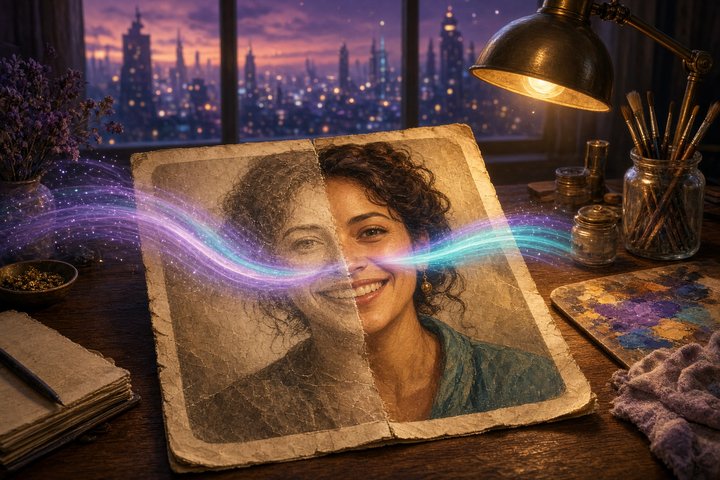
The LoRA trades a little of Qwen's invented texture for staying true to the picture you gave it. In ausboss's words, it's "a redraw, not a recovery": fine detail is still generated to fit, but faces stay the same person, colors stay put, and the image stops drifting.
- Base: Qwen Image 2.1 (Comfy-Org weights), rank 32, ComfyUI key format
- Files:
qwen-image-2.1-restore.safetensors(step 1,500, the recommended one) andqwen-image-2.1-restore-1250.safetensors(keeps more skin texture on noisy phone shots) - Trigger word: none
- Speed: works at 8 steps with Viggle's Qwen Image 2.1 Turbo, or 25 steps without it
- Training: 1,209 clean/damaged pairs built from 786 pictures (Unsplash photos plus the author's own), trained with ostris ai-toolkit
The numbers
ausboss shrank their own photos, ran them back through Qwen, and measured every result against the full-size original. On eight test pictures at 8 steps with Viggle Turbo:
- Image drift: 2.35 px off without the LoRA, 0.26 px with it
- SSIM (1 = identical): 0.578 without, 0.766 with
- PSNR: 23.2 dB without, 28.0 dB with
- Same face (face recognition score): 0.821 without, 0.905 with
On a wider set of 57 held-out damaged pictures (web thumbnails, phone smoothing, video stills, banding, old prints and more), average SSIM went from 0.544 to 0.762 and drift fell from 2.70 px to 0.23 px. The LoRA beat plain Qwen on all 57.
The write-up is refreshingly fair to rivals, too. In a tiled 4–8 MP test, SeedVR2 basically tied the LoRA on quality and ran about six times faster (7 seconds against 40). The LoRA's edge shows up on heavy JPEG damage, where SeedVR2 sometimes painted the compression blocks as cracks in the skin.
How to run it
Grab the files from the Hugging Face repo, drop the LoRA in your loras folder, and load the bundled workflows/qwen-image-2.1-restore.json. It needs ComfyUI 0.38 or newer and the AusBoss custom nodes (2.8.0 or newer; the tiled upscale graph wants 2.9.0).
If you'd rather wire it into your own Qwen Image 2.1 edit graph, here's the recipe:
- Add a LoRA loader right after the model loader. Start at strength 1.0, or 0.5 for blurry, shaky or video-frame sources.
- Resize your picture to about 2 megapixels, with both sides divisible by 32.
- Use Text Encode Qwen Image 2.1 with the resized picture as
image_1,resolutionset to 0, and the restore instruction as the prompt. - Sample at CFG 1 with
euler/simple, denoise 1, for 8 steps with Viggle Turbo or 25 without it. - Run VAE Decode, then Split Image with Alpha, since the Qwen 2.1 VAE decodes RGBA.
The main restore prompt (no trigger word needed):
Restore the photo: remove blur, noise and compression artifacts and recover sharp, natural detail, keeping the same composition, people and colors.For scratched or faded prints:
Restore the old photo: remove scratches, dust, fading and grain and recover sharp, natural detail and color, keeping the same composition and people.Tips from the model card
- Blurry photos need a lower strength. At 1.0 the LoRA stays faithful to the blur and comes back soft. Drop to 0.5 for out-of-focus shots.
- One pass is enough. Running it twice at the same size gets crunchy.
- Keep each pass around 2 MP. For bigger results, use the Tiled Upscale workflow, which redraws in overlapping tiles with the LoRA.
- Shrink big noisy images first. An 8 MP noisy JPEG came back gritty at full size but clean after going down to 2 MP, restoring, then tiling back up.
- Skip the scene description. Adding a caption after the instruction didn't help in testing, and a wrong one actively hurt.
- Tiny faces still get redrawn. A face around 100 px tall can come back as a slightly different person, and small lettering can be misspelled.
- Don't stack it with ausboss's Consistency LoRA. This one holds the picture on its own.
Original Source
- Qwen Image 2.1 Restore LoRA on Hugging Face
- Restore LoRA on Civitai
- Qwen Image 2.1 Tiled Upscale workflow on Civitai
- ComfyUI-AusBoss custom nodes on GitHub
- Viggle Qwen Image 2.1 Turbo
- Qwen Image 2.1 base model
Conclusion
Most restore tools chase "sharper." This one chases "still you," and it brings receipts: per-image numbers, a CSV, and side-by-sides against SeedVR2 and other popular options. If you've been rescuing old family scans or low-res selfies with Qwen Image 2.1 and wincing at the extra wrinkles, load this LoRA at 1.0, drop it to 0.5 for the blurry ones, and let your photos look like themselves again. 📸
—Aurelia ♡