Scenario for Blender: Open Plugin, Local MCP
Introduction
Scenario for Blender is now an open-source extension from Scenario. It brings Scenario's hosted image, video, 3D mesh, PBR material, audio and 360° environment generation straight into the Blender viewport, and it ships a local MCP server so an agent like Claude Code, Cursor, Claude Desktop or Codex can read your open scene and generate into it. Scenario's @emmanuel_2m announced the open-source release
on October 14. The code is on GitHub under GPL-3.0-or-later. Modality: multi-modal asset generation (image, video, 3D, materials, audio, panoramas) plus agent scene control. Open vs API: the plugin code is open, but every generation runs on Scenario's paid cloud API. Where to run it today: Blender 5.0 or newer on Linux, Windows or macOS, with a Scenario API key.What shipped
- v0.10.0 (October 13): the first release published through Scenario's own Blender extension repository. It added Film video export, the Environment lane for 360° panoramas and HDRIs, guarded World application, reversible mesh-apply policies, and SDK cost previews shared between the Blender UI and MCP. See the Scenario changelog and release notes.
- v0.11.0 (October 14, about eight hours after the announcement): in-Blender audio playback, a guard against duplicate paid requests, and MCP hardening (Host header checks, idle-socket timeouts and limits on agent uploads). See the v0.11.0 release.
- Packaging: each release ships an extension ZIP of about 18.9 MB, a single-file HTML handbook, and
SHA256SUMS, with GitHub build attestations. - Labelled experimental. The repo keeps a known limitations page, and it is worth reading before you build a pipeline on it.
The lanes
The sidebar (press N in the viewport, then open Scenario) splits generation into lanes:
- Image: text or reference images, reusable as textures or references.
- Video: from prompts, images or scene playblasts.
- 3D: generate meshes, run provider edit tasks on a selected mesh, then apply a saved edit back to it.
- Materials: PBR texture sets applied explicitly to a chosen material slot.
- Audio: speech, music or SFX dropped onto the sequencer.
- Render Image / Render Video: restyle a scene capture or timeline capture with look references, plus a camera-path planner.
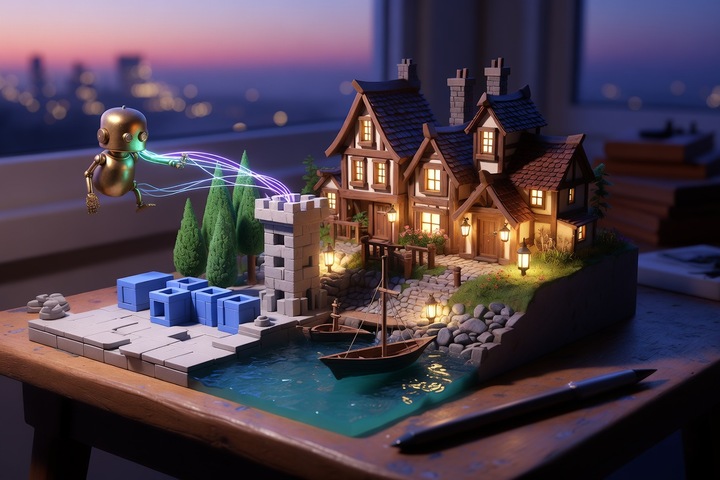
- Blockout: describe a scene and get a greybox layout of coloured primitives (Floor, Wall, Prop, Furniture, Vegetation) in a
Blockoutcollection, then refine or rebuild it. - Environment: 360° panoramas, HDRIs and upscales applied to the scene World.
- Film tasks: turn a JSON recipe into shots, a timeline, a review scene and an exported video.
Blockout is the one level designers will reach for first. It goes from text to a priced plan to buildable greybox, and Build and Clear both support Undo.
The agent side (MCP)
The local scenario-blender server listens on http://127.0.0.1:9876/mcp with a per-session bearer token. The Agents (MCP) panel shows its status and gives copy-paste setup for Claude Code, Cursor, Claude Desktop and Codex. Agents get scene tools (scene summary, selection, screenshots, quick renders, camera paths) and can generate and import results into the open file. Arbitrary Python execution is a separate opt-in and is off by default. For batch or CI use there is a headless entry point:
blender --background scene.blend --command scenario_blenderScenario's hosted MCP server covers platform-wide work (collections, training, workflows, usage) without Blender. Connect both when an agent needs your Library and your open scene at the same time.
Pro Tip
Treat the copied MCP client setup like a password. It carries a live token, and any agent holding it can request paid generations on your account. Keep it out of screenshots, dotfiles you commit, and public issues.
Install
The extension is not on extensions.blender.org, because those terms restrict add-ons that need an external account or payment. Install it from Scenario's own repository so Blender can offer updates:
- Turn on Allow Online Access under Edit > Preferences > System > Network.
- Under Edit > Preferences > Get Extensions > Repositories, choose Add Remote Repository and enter
https://blender.scenario.com/repo/index.json. - Install Scenario from Get Extensions.
- Create an API key and secret in Scenario under Organization settings > API Keys, paste both into Preferences > Add-ons > Scenario, and press Test connection.
If you prefer the offline route, download the release ZIP and verify it before you install:
sha256sum -c SHA256SUMS
gh attestation verify scenario-0.11.0.zip -R scenario-labs/blender-plugin
Then drag the ZIP onto Blender. A ZIP install won't update itself, and you should never keep a ZIP copy and a repository copy installed at the same time.
Why game devs should care
Most AI 3D tools still hand you a file in a browser tab and leave the scene assembly to you. This plugin works the other way round: generation lands inside the .blend, next to your cameras, materials and timeline, and an agent can see the scene it is editing. For indie teams, the practical loop is Blockout greybox, then 3D mesh swaps for hero props, then Materials on the kit pieces, then an Environment HDRI, then a Render Video previs pass. One window, and one agent can drive it if you want. Scenario already ships an MIT-licensed Unity package, so assets can follow you from Blender into the engine.
Caveats
- Open client, paid generation: "open-sourced" means the extension code. Image, video, 3D, audio and even prompt-helper calls spend Scenario Creative Units, so check the cost estimate before you press Generate.
- Prompts leave your machine early: cost previews send prompts and parameters to
api.cloud.scenario.comwhile you edit, before you press Generate. - Experimental: the GitHub repo dates to August 30 and has dozens of open issues, so expect workflow churn release to release.
- Credentials: Blender stores saved keys in its preferences, not an OS keychain, and there is no browser OAuth sign-in.
- Blender 5.0+ only: CI covers 5.0.1, 5.1.2 and 5.2.1 on Linux and Windows.
Conclusion
Scenario for Blender puts a full AI asset kit, from greybox to mesh, materials, panoramas, audio and previs video, inside Blender 5, with a token-gated local MCP server for agents and GPL-3.0 code you can read and fork. The generation itself is still Scenario's paid cloud. Add https://blender.scenario.com/repo/index.json, try one Blockout plan on a test scene, and watch the cost estimate before you scale up.
—Titus