SculptForge 0.12: Three AI 3D Picks, One-Click Quad Base
Introduction
SculptForge 0.12.0 shipped at 06:51 MYT today (22:51 UTC Nov 8) from islandmed on GitHub. SculptForge is a free, GPL-3.0 sculpting app for Windows, macOS and Linux with image-to-3D and text-to-3D built in. This release changes how Generate 3D feeds a game-asset workflow. You can now generate up to three candidate shapes side by side, pick one, and turn it into a clean quad sculpting base with one click.
Release notes: https://github.com/islandmed/SculptForge/releases/tag/v0.12.0 Repo: https://github.com/islandmed/SculptForge
What shipped in Generate 3D
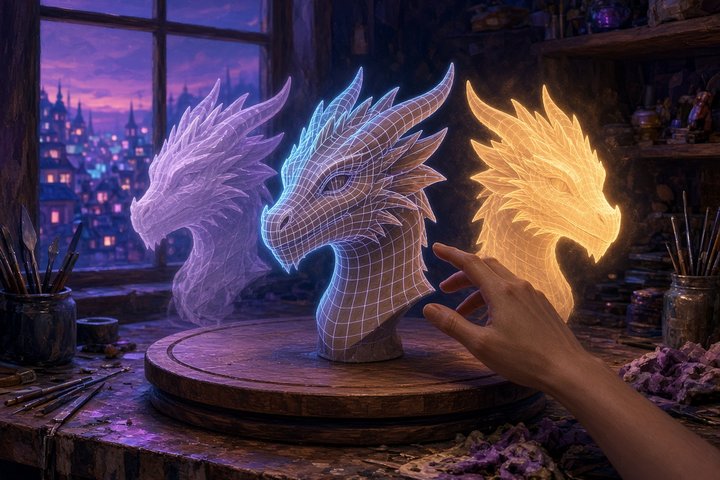
- Candidates (1–3). One run makes several shapes and shows them side by side, each as a shaded thumbnail over a flat black silhouette, so you can judge the form before you sculpt. Free and local services default to 3 candidates. fal.ai, Meshy and Hyper3D default to 1, because every candidate is one billed generation on your own key, and the window shows how many will be billed. Your pick becomes a Part. You can throw the others away or keep them as hidden Parts. If a service returns the same mesh twice, the app labels it "Same shape as A".
- Use as sculpting base. One click runs Voxel Remesh and then Quad Remesh (on by default), which gives you an even mesh with one subdivision level. Turn on Keep a high-detail copy (hidden) to keep the raw generation underneath. After Add Level, Project Detail from the high-detail copy brings its surface detail back.
- Generation and topology are now separate steps. Generate 3D no longer remeshes while it generates. You generate for form, then build topology with Use as sculpting base. The CLI's
image_to_3d/text_to_3dstill takeremesh=quad|voxel|false. - Consent before anything leaves your machine. The first request to each third-party AI host now shows a notice inside the panel: what is sent, which host gets it, who pays, and the options Allow, Use local instead (Ollama, LM Studio or ComfyUI) or Cancel. The hosts covered are Pollinations, the Hugging Face Spaces, fal.ai, Meshy, Hyper3D, remote OpenAI-compatible servers and remote ComfyUI. The CLI and MCP tools refuse in the same way until the service is allowed. Localhost never asks, and a studio policy can pre-allow or block hosts.
Where to run it today
The free path goes through the official Hugging Face demos of Hunyuan3D 2 / 2.1, TRELLIS.2 and Stable Fast 3D. You can also point it at your own ComfyUI on a local or studio GPU (Hunyuan3D 2.1 workflows are included), or use a paid fal.ai, Meshy or Hyper3D key.
Install the binaries (Windows .exe/.zip, macOS universal .dmg, Linux AppImage/.deb/.rpm/flatpak, ARM64 builds) from the release page, or use the one-line installer:
# macOS / Linux
curl -fsSL https://raw.githubusercontent.com/islandmed/SculptForge/main/install/install.sh | sh
# Windows
irm https://raw.githubusercontent.com/islandmed/SculptForge/main/install/install.ps1 | iexHeadless, from the README:
# Description -> sculptable mesh -> GLB
sculptforge-cli -c 'text_to_3d prompt="a stylised dragon head"; export_glb path=dragon.glb'

# Concept art -> USDZ
sculptforge-cli -c 'image_to_3d path=hero.png; export_usd path=hero.usdz'

# Game LOD chain
sculptforge-cli -c 'open path=rock.obj; export_lods path=out/rock.glb levels=4 ratio=0.5'
Why it matters for game pipelines
Raw image-to-3D output is usually messy: triangle soup, uneven density, and topology you can't sculpt on. Version 0.12.0 accepts that and separates choosing a form from cleaning it up. You roll three candidates, keep the best silhouette, remesh it to quads, and project the generated detail back on after subdividing. From there SculptForge's existing pipeline takes over: LOD chains, blend shapes, Send to Unreal (Ctrl+U, no plugin), and GLB/FBX/USD export. The ComfyUI-SculptForge node pack covers the same remesh/LOD/export steps inside Comfy graphs.
The release also adds an XPBD cloth brush, Drape, garment pattern templates, edge creases, Pose all Parts and sandboxed WASM plugins. Those help with character work, but the Generate 3D changes are the reason this release matters for game assets.
—Titus