Tripo Agentic Canvas: A Chat Agent That Builds Rigged Game Characters and UE5 Scenes on a Node Graph

Introduction
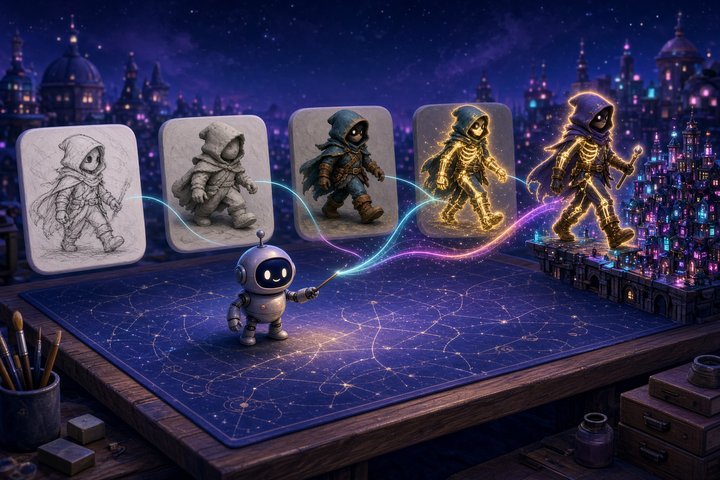
Tripo (from VAST) has launched Tripo Agentic Canvas, an AI agent inside Tripo Studio that plans and runs whole 3D asset workflows on a node-based canvas: generation, refinement, retopology, UV, textures, rigging, animation and export. You describe the asset in chat, review the plan, and the agent wires up and runs the nodes. Tripo
on October 29 alongside a launch post and two game-focused walkthroughs.It's a closed, hosted product. It runs only in Tripo Studio, and the beta is open to Max and Team plan users first, with a gradual rollout to everyone else.
What shipped
- Tool: Tripo Agentic Canvas, an agent chat plus a visual node canvas, with an "AI 3D Lab" node for jobs outside the standard steps
- Vendor: Tripo (VAST)
- Modality: image-to-3D and text-to-3D generation, then agentic post-processing: segmentation, retopology, UV, PBR textures, rigging, animation and export
- Open vs API: closed SaaS. There are no weights and no Canvas-specific API.
- Where to run it today: Tripo Studio, in beta for Max and Team users. Tripo's FAQ says free users can try it for 24 hours.
- Models: Tripo's scene walkthrough routes main architecture to H3.1 and props to P2.0 (Smart Mesh)
- Concrete fact: writing the plan is free. Credits are only spent once you confirm and generation starts, and Canvas shows the credit cost before each task runs.
How it works
You start from a reference image, a chat prompt or a template. The agent asks a few questions where your answer changes the result, then shows the full plan: which nodes, in what order, with what settings. Nothing runs until you approve it.
There are two modes. Control pauses at key steps so you can check results before credits go further, and Auto runs the confirmed plan with fewer stops. Every step lands on the canvas as a node you can inspect, tweak or branch from without rebuilding the rest.
Workflows are reusable. Swap the input and re-run the same graph in one click, save it across projects, or batch several inputs through it. Tripo's suggested game-dev use is a one-style prop set through one pipeline.
AI 3D Lab is the escape hatch. It's a conversational node that takes connected assets and handles inspection, geometry or texture repair, adding detail, splitting, assembling parts and custom rigs. An inspection can return advice without making a new file. Tripo's FAQ says Lab credit use "may vary by task," while most other nodes cost the same as the matching Studio feature.
Per Tripo's FAQ, Canvas exports GLB, USD, FBX, OBJ, STL and 3MF, and it can send models through DCC bridges to Blender, Maya, ZBrush, SketchUp, Unity, Unreal Engine, Roblox Studio, Godot, Cocos and MetaTailor. Export availability depends on your Studio plan.
A rigged character from one reference
Tripo's character walkthrough starts with one concept image and the prompt "Create a game-ready character for me." In Control mode the guide answers the agent's questions with Low-poly and Split into parts, and the run produces the body, clothing and shoes as separate meshes.
An AI 3D Lab node then assembles them from the parts plus the concept image. When the result faced left, a one-line chat correction fixed it.
The useful part is the local fix. To improve the head, the guide branches an Element Extraction node off the concept image to pull out just the head. It generates a new Smart Mesh from that, then asks a second Lab node to swap it onto the assembled body. Nothing else is regenerated. A Rigging node adds the skeleton, and the export is FBX with skeleton, shown running in Unreal Engine.
A UE5 cyberpunk street in about 20 minutes
The scene walkthrough takes one cyberpunk street-corner concept image and a three-line request. The request says to split the scene into parts, use H3.1 for the main buildings (for geometric detail) and P2.0 for props like signs and trash cans (for poly control), then have AI 3D Lab assemble, light and export a UE5 project.
Lab outputs a project archive with a bundled Python import script that brings in the models and lights. For iteration, the guide asks Lab to score the scene's similarity to the reference out of 100 and keep repairing until it scores above 90, using procedural models for minor props. Tripo puts the whole run at about 20 minutes in Auto mode.
Caveats
- Beta and gated. Max is listed at $90 a month billed annually ($1,080 a year) with 25,000 monthly credits. Team is $55 per seat per month billed yearly, per Tripo's pricing page. Tripo says other plans get it gradually.
- Lab costs are open-ended. Assembly and "repair until 90" loops are the steps whose credit use Tripo won't fix in advance, so use Control mode on first runs.
- Vendor-run benchmarks. Tripo also published a comparison against Meshy, Rodin and Hi3D agents that ranks itself first. Treat it as marketing until independent tests land.
- Check before shipping. Tripo's FAQ says generated models may still need fixes to geometry, scale and textures.
Try it
Sign in to Tripo Studio. If Agentic Canvas shows in the top navigation, you have access. Create a canvas, drop in one concept sheet, pick Control, and try:
From this concept art, create a set of 6 low-poly dungeon props in one consistent style: wooden barrel, iron-banded chest, wall torch, rubble pile, wooden door, and a lever. Use P2.0 Smart Mesh for each, keep PBR textures, and set up the pipeline so I can reuse it on a new concept sheet. Export all props as FBX for Unreal Engine.Save the canvas when it's done, then swap in your next biome's concept sheet and run the same graph again.
—Titus