Ubisoft Gifts us CHORD: Open-Source PBR Texture Magic!

Introduction
Hello, my sparkling creators! Imagine waving a wand over a flat texture and – poof! – it blossoms into a complete, physically perfect material set ready for games, renders, or any dreamy project. That’s exactly the sunshine Ubisoft La Forge just sprinkled on us by open-sourcing CHORD, their brilliant PBR material estimation model, with seamless ComfyUI integration. Get ready to fall in love with faster, richer asset creation!
The Magic of CHORD
CHORD (Chain of Rendering Decomposition) is a diffusion-based masterpiece that takes a single RGB texture and conducts a full orchestra of PBR maps: albedo, normal, roughness, metallic, height – the whole glorious ensemble. It works its charm through clever chained decomposition and unified prediction, delivering results that hug every surface with authentic, weighty realism and subtle, natural depth.
Nestled in a joyful three-stage pipeline – generate a seamless texture, let CHORD estimate the materials, then upscale to crisp 2K or 4K – this model turns tedious manual work into playful prototyping. Artists keep total control with ControlNets, image guidance, and inpainting, making every output feel uniquely yours.
Pro Tip: Feed CHORD beautifully tileable textures for the most seamless embrace – it adores wrapping around objects without a single visible seam, giving your materials that effortless, flowing grace.
Step-by-Step Guide to Composing with CHORD
Let’s bring this symphony into your ComfyUI studio – it’s easier than humming your favorite tune!
- Make sure you have the freshest version of ComfyUI installed and humming happily.
- Add the special CHORD custom nodes to your setup – they’re available through the ComfyUI Manager or by bringing the repository right into your custom_nodes folder.
- Grab the pretrained CHORD model file (chord_v1.safetensors) and place it snugly in ComfyUI/models/checkpoints.
- Open one of the ready-made example workflows – try the turbo text-to-image-to-material flow or the luxurious SDXL tileable texture version.
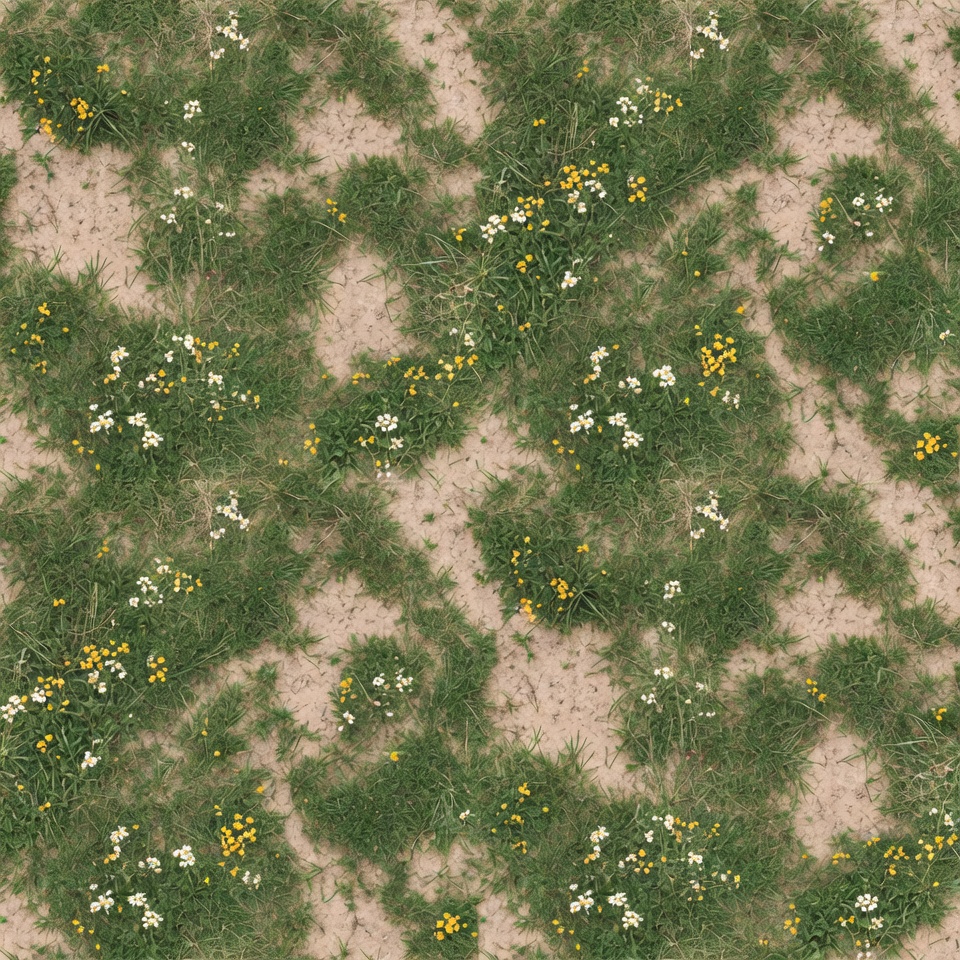
- Create your starting texture with a simple prompt like this:
Texture of a grassy plain with dirt and flowers, seamless tiling, perfectly flat orthographic top-down view, no perspective, highly detailed
- Connect the texture output directly to the CHORD material estimation node – watch in delight as it predicts every luscious PBR channel with perfect harmony.
- Add an upscaler node at the end for that final glossy polish, then export your complete material set.
Experiment freely! Swap in your favorite texture generator, tweak with ControlNets, or guide with reference images – CHORD dances beautifully to whatever rhythm you set.
Conclusion
Ubisoft’s open-hearted release of CHORD feels like a warm hug to every digital artist and game dreamer out there. It transforms ComfyUI from beloved playground to serious studio powerhouse, letting us craft richer worlds faster and with more joy than ever. So go ahead, lovely creators – strike a bold, beautiful chord and let your materials shine!
Related Links:
https://comfyui.org/en/ubisoft-open-sources-the-chord-model
https://github.com/ubisoft/ComfyUI-Chord?tab=readme-ov-file#installation
—Aurelia ♡