Meshy Lands in MCP for Blender: Agents Now Drop Game-Ready 3D Assets at Real Scale
Introduction
Meshy's 3D generation is now built into MCP for Blender, the open-source plugin that lets an AI agent like Claude Code, Codex or Cursor drive Blender. Ask your agent for a prop or a character, and a textured Meshy model lands in your scene standing on the floor at real-world scale. Plugin creator Siddharth Ahuja
on October 27, and Meshy with a full developer guide that builds a sci-fi mech hangar from concept art to final render.You can run it today. The plugin and its MCP server are MIT licensed on GitHub, and the Meshy generation side is a paid API.
What shipped
- Tool: Meshy as a model provider inside MCP for Blender's
generate_3dtool - Vendors: Meshy, plus MCP for Blender by Siddharth Ahuja
- Modality: text-to-3D and image-to-3D, with PBR textures (color, metal, roughness and surface-detail maps), imported as GLB
- Open vs API: the plugin is open source (MIT). Meshy generation is a closed, paid API.
- Where to run it today: Blender plus any MCP client the installer detects, including Claude Code, Codex and Cursor
- Model: Meshy 7.1, Meshy's latest
- Concrete fact: each model costs 30 Meshy credits. With your own key, the Meshy API needs the Pro plan or higher, at $20 for 1,000 credits.
How a generate_3d call works
Your agent sends either a short description or the path to an image. A description runs as Meshy Text to 3D (a mesh, then one texture pass), and an image runs as Image to 3D. Every task asks Meshy for auto_size, which estimates a real-world height, and puts the origin at the bottom of the model.
The call waits up to 45 seconds. If the model isn't finished, the plugin hands back a job handle and the agent polls again. When it's done, the plugin imports the GLB and tells the agent not to rescale it. Game engines treat one unit as one meter, so a 1.80 m pilot or a 3.03 m hoverbike drops into a level at the right size.
Two ways to pay
- Your own Meshy key. The key goes into the plugin's sidebar field in Blender, never into the chat. This needs Meshy Pro or above.
- MCP for Blender Premium. The plugin's paid plan covers generation, so you don't need a Meshy account at all. Plans start at $10 a month for 25 standard generations, and each Meshy model counts as one. Failed generations don't count, and one license key works on up to three computers.
The numbers from Meshy's hangar build
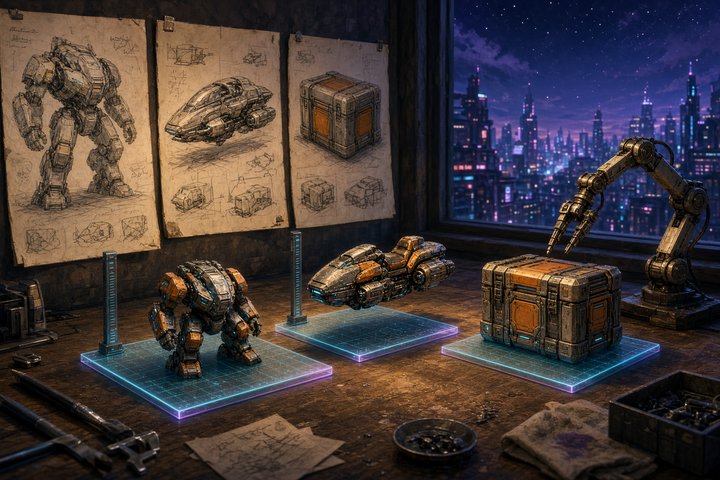
Meshy's guide makes six assets for one game scene: a pilot, a mech, a hoverbike, a turret, a drone and a crate. The whole set cost 267 credits, about $5.34 on the Pro plan, and took about 25 minutes of agent time.
The raw Meshy 7.1 models came back heavy, at 1.2 to 3.4 million triangles each and 11.3 million in total. Meshy's Remesh API (5 credits per model) rebuilt them to set budgets and baked new textures to match. That brought the scene down to about 245,000 triangles. The pilot went from 1,203,680 triangles to 41,169, and the mech from 3,409,033 to 101,928. Every asset landed within 5% of its target.
Meshy also points out where Blender's free Decimate falls short. Decimate keeps the surface-detail map made for the dense mesh, so at the same 40,000-triangle budget the pilot came out crumpled across the chest plate and sleeves.
Try it
Install the plugin and pick your agent when the installer asks. On macOS or Linux:
curl -LsSf https://www.mcp-for-blender.com/install.sh | shOn Windows, in PowerShell:
irm https://www.mcp-for-blender.com/install.ps1 | iexIf you use Codex, add tool_timeout_sec = 600 and startup_timeout_sec = 120 under [mcp_servers.blender] in ~/.codex/config.toml so long generations don't time out. Fully quit and reopen your agent, then open Blender. Press N in the viewport, open the MCP for Blender tab, tick Meshy under AI Model Generation, set the model to Meshy 7.1 and paste your key. Then ask your agent:
With Meshy, make a wooden treasure chest and put it in the scene.To batch a whole asset set once you have concept art, this is the prompt Meshy's guide used:
With Meshy, make a 3D model from each of the other images in ./concept/ (pilot, hoverbike, turret, drone), one at a time, then a knee-high sci-fi supply crate from text with the same gunmetal grey, safety-orange and cyan look. Put each beside the last so nothing overlaps, and keep their sizes. Tell me each model's size and Meshy task ID.Asking for a "knee-high" crate gave one 0.40 m tall, so words steer scale on text prompts.
Things to watch
- Image-based sizes are guesses. From an image, Meshy estimates height, and the mech came back 6.0 m when the scene wanted 5 m. Tell your agent the height of any hero asset.
- Single images invent the back. For anything the camera orbits, Meshy's guide built front, side and back views first and used Multi-Image to 3D. That step and Remesh go through the Meshy API directly, not through the plugin.
- The agent runs Python in Blender. Work on a copy of any
.blendyou care about, and rotate your key after any run you share or record. - It's a third-party add-on. MCP for Blender isn't affiliated with the Blender Foundation.
Why it matters for game devs
Generated meshes were never the hard part. Getting them into a scene at the right size, on the floor and under a triangle budget was. This integration puts Meshy on the same agent-driven Blender path as the free Poly Haven assets the plugin already pulls, and it's a step beyond the Scenario Blender plugin we covered earlier this month. You describe a level and the agent places sized, textured assets in it. If you already prototype in Blender, you can block out a level with your agent today for about the price of a coffee.
—Titus